2. Operation (Restoration & Discharge)
1
2 1
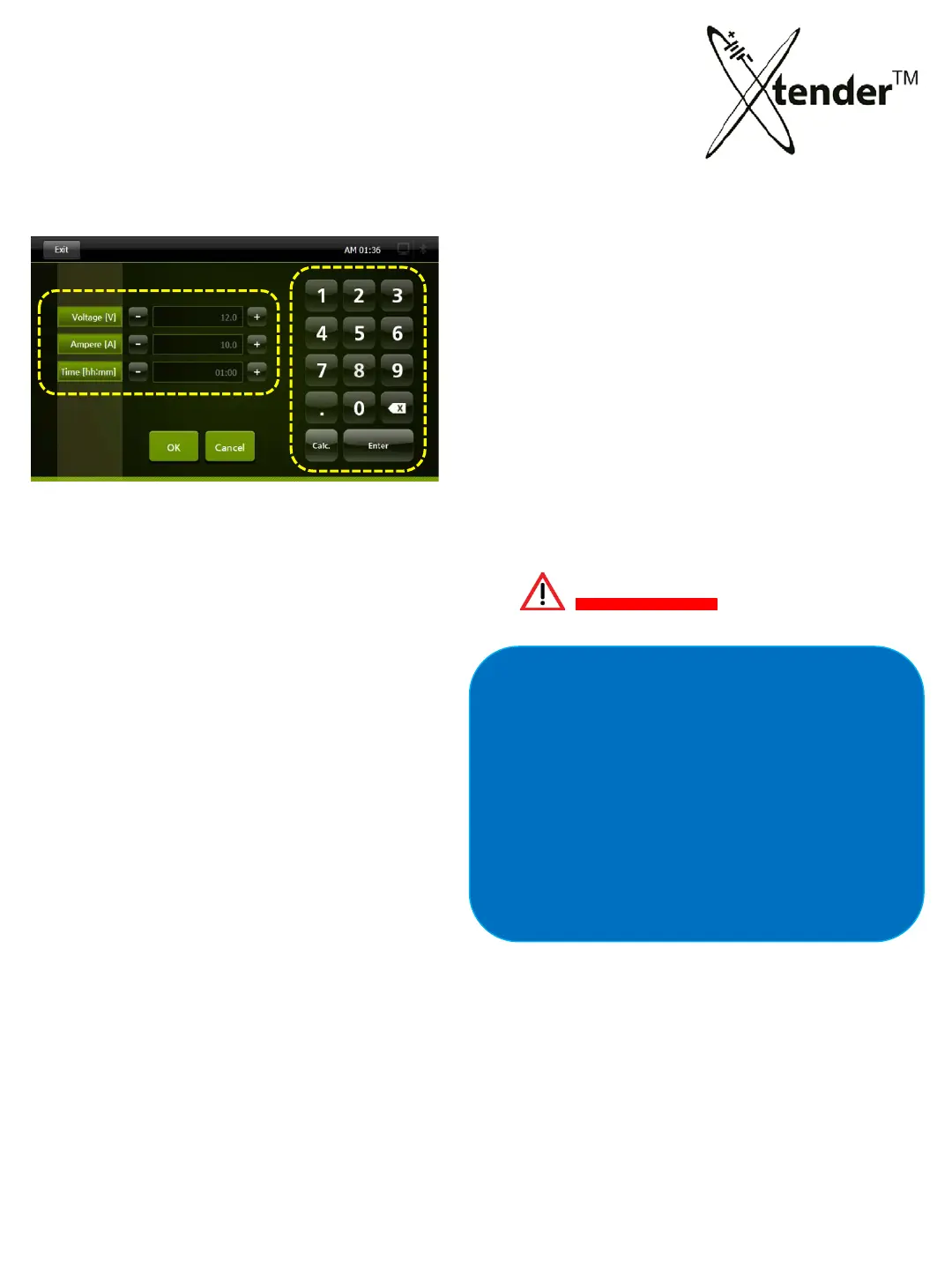
Voltage : Set Voltage for Charge/Discharge
Ampere : Set Current at Charge/Discharge
Time : Charge/Discharge hour (max. 99H:59M)
One click of a button of (-) a
n
d (+)
Voltage : 0.1V up and down
Ampere : 0.1A up and down
Time : I min. up and down
2
Setting of Voltage, Ampere, Time:
Keypad will be activated in white color ready
for input when you click the icon of Voltage
or Ampere or Time. Then you insert data and
press enter.
(Example) insert 15A
① Select Ampere in “1” area of the screen
② Click 1 & 5 on keypad
③ Click “Enter” on keypad
④ 15 (A) will be shown as Ampere set value
in
“1” area of the screen.
(Example) 10 Hours
① Select Time in
“1” area of the screen
② Click 1 & 0 on keypad
③ Click “Enter” on keypad
④ 10:00 (T) will be shown as Time set v
al
ue
in “1” area of the screen.
You should check the specification of
batteries for set Voltage, Ampere and Time
before inputting set values.
Wrong set values may a cause damage to
Xte
nder machine and degradation of
performance.
C A U T I O N
CAUTION
[picture 6]
MANUAL MODE – SETTING VALUES
This mode allows you to preform a single operation
to a connected battery, for instance a discharge cycle only.
36



 To Next Page