5. Xtender Monitoring Program for PC
INTEGRATED MONITORING PROGRAM – LOG FILE VIEWING &
PRINTING
Xtender Log file : Top Menu
1.
1 2
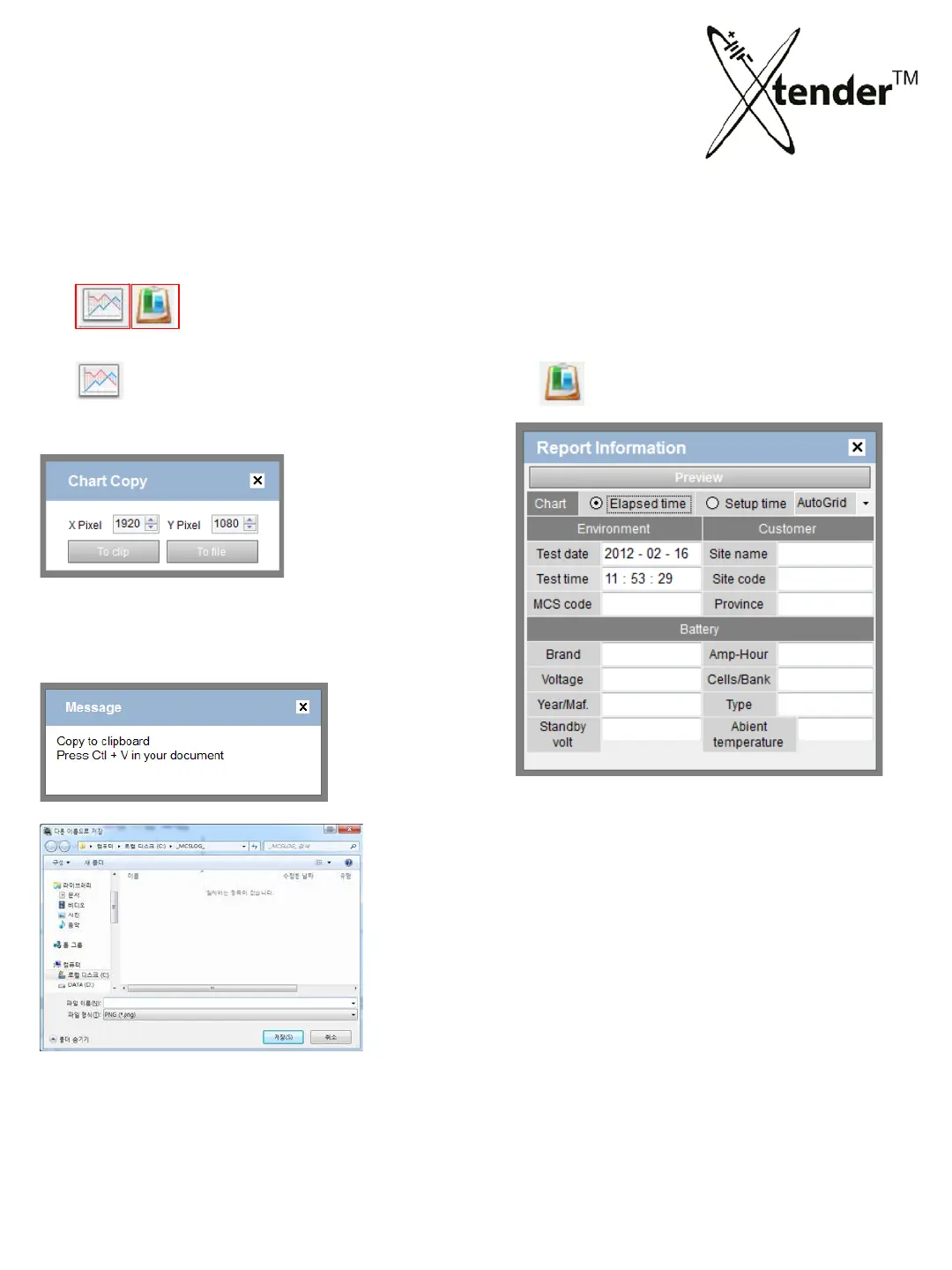
Copy the Chart .
Adjust pixel of X. Y. Save or copy the chart
as the graphic file.
2.
Print “Test Report”.
Input the information and make “Preview” for
printing Test Report.
Setting of time for the printing of Chart :
- Elapsed time :
- Setup time :
**Although it does not continue to operation during
full set time. Time axis will be printed for full set time.
It is very useful to compare the improvement
between before and after regeneration for the
customers.
73



 To Next Page