FAA-27, Technical Manual, Rev. 1.1, June 2014
8. Programming With xFace Software Over RS232
FAA-27 has RS232C serial interface to perform eCal electronic calibration and to
adjust filter, setpoint values and to follow status by using xFace software installed on
a PC.
For installing the xFace software, which is supplied with the instrument or can be
downloaded from www.flintec.com, follow the steps described below.
8.1 Installation Of xFace Software
Close all applications on your PC
Insert the CD that contains the xFace software v2.03 or higher into the CD-
ROM drive
Double click “Setup.exe” to start the installation. The setup Wizard will be
displayed.
Follow the menus in the setup wizard step by step.
After finishing the installation, the Setup Wizard will inform you about the
success of the software installation. Click the OK button.
After closing the Setup Wizard you can start to use the xFace software.
8.2 Connection To The xFace Software
For programming instrument via xFace follow the instructions below;
1. Power off the instrument.
2. Connect the instrument to PC as
shown in chapter 4.5 to use xFace
software and run the software.
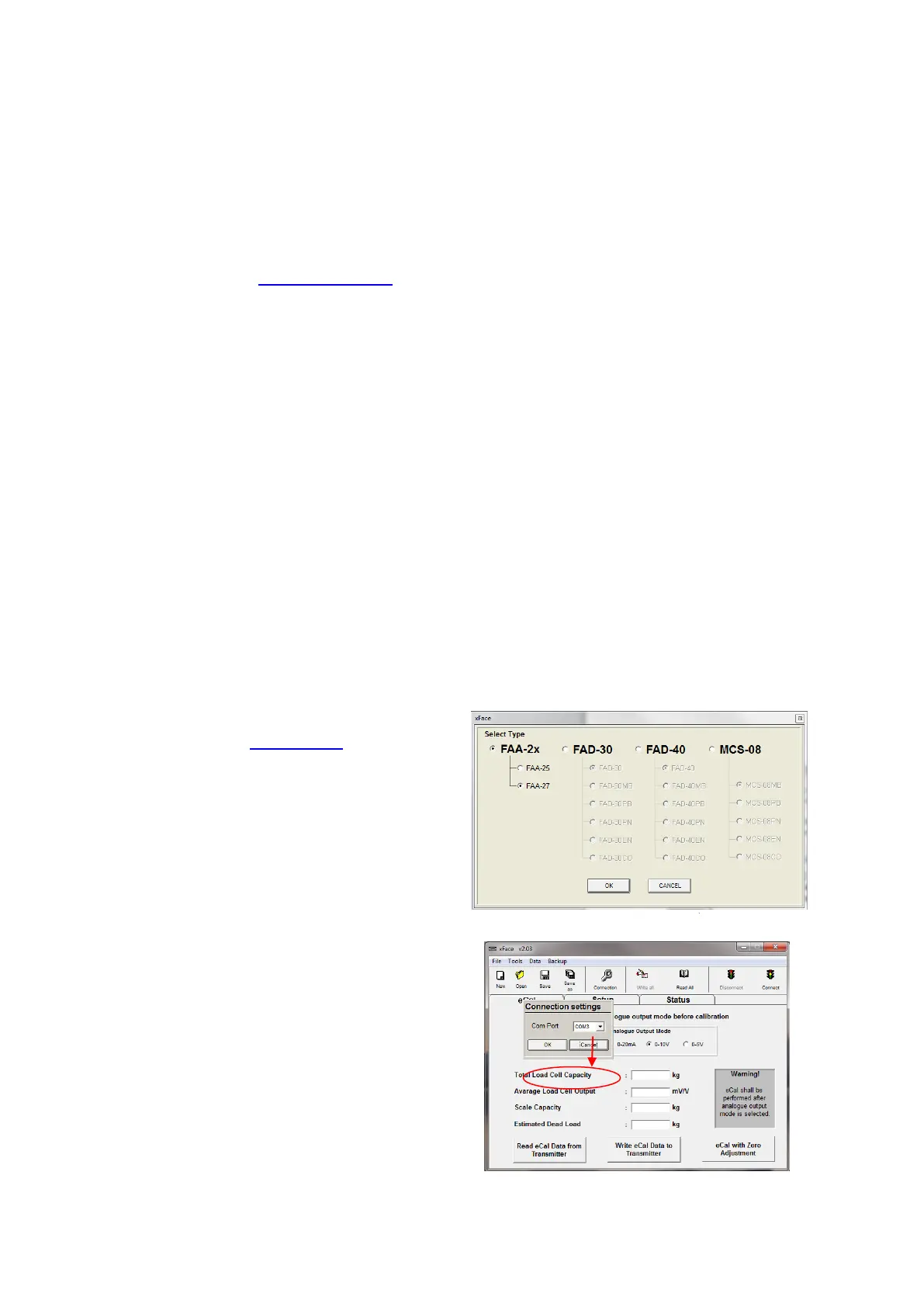
Select FAA-27 and press “OK”
button.
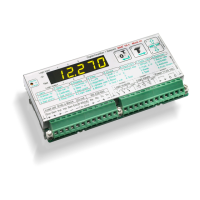
3. Select the Com-port and press on
“Connect” to connect to the
instrument.



 To Next Page