Programming Menu System
6
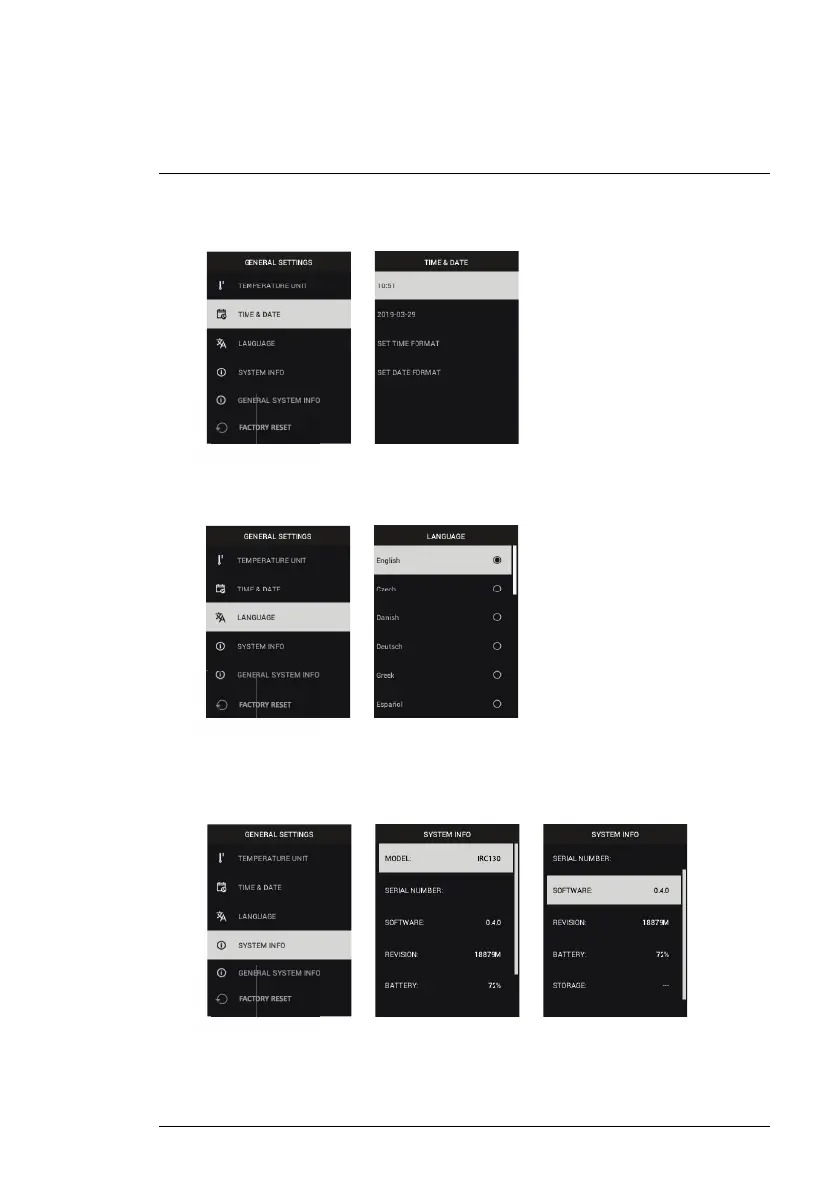
2. Time & Date: Use the arrows to scroll and the MENU button to set the
Time, Date, Time Format, and Date Format.
3. Language: Use the arrows to scroll and the MENU button to select a
language.
4. System Info: Scroll to desired topic: Model Number, Serial Number,
Software Level, Revision, Battery status (%), and remaining Internal
Storage Capacity.
• GENERAL SYSTEM INFO: Press MENU to view compliance information.
#NAS100014; r. AK/74592/74592; en-US
20


 To Next Page