Programming Menu System
6
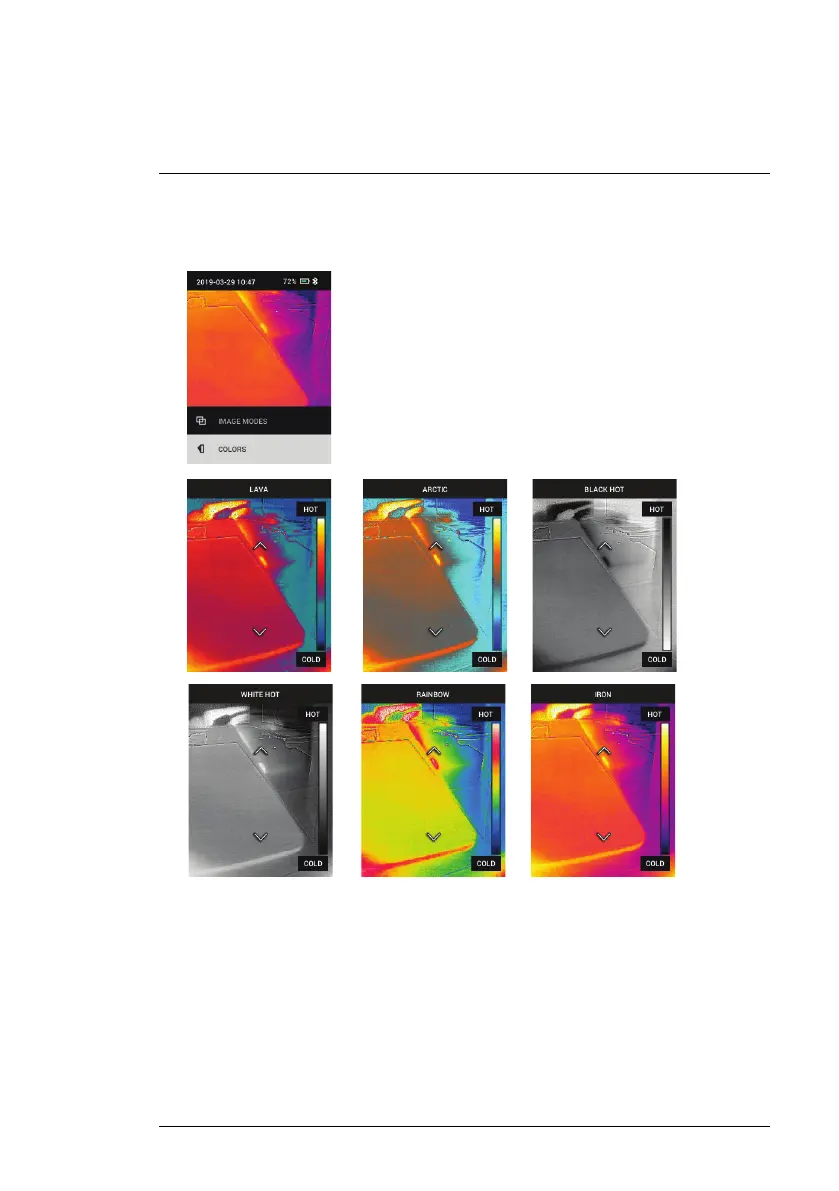
3. Colors: Press MENU at the colors menu and use the arrow buttons to se-
lect a color palette: Iron, Rainbow, White hot, Black hot, Arctic, or Lava.
Press MENU to confirm selection.
• SETTINGS: Press MENU to access the Settings sub-menu (see below):
6.3 Settings Sub-Menu
• MEASUREMENT
#NAS100014; r. AK/74592/74592; en-US
16



 To Next Page