Programming Menu System
6
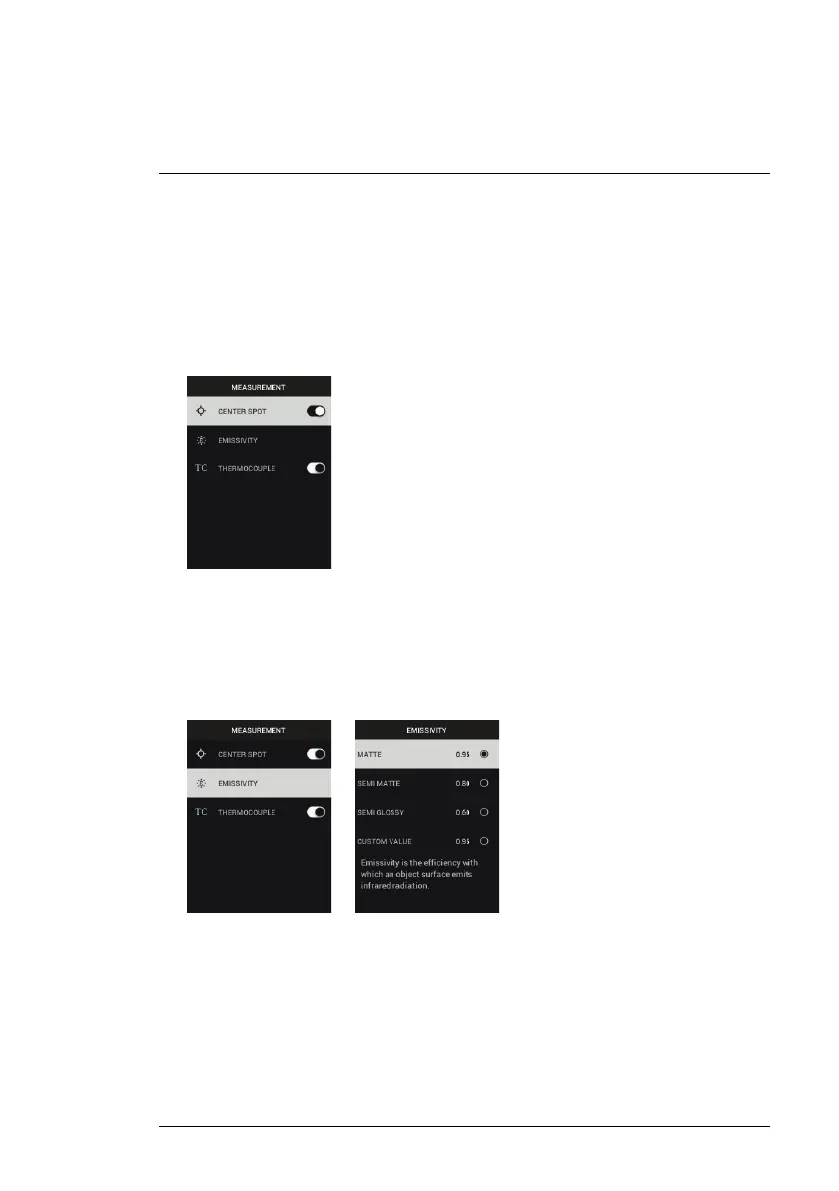
1. Center Spot: Press MENU to enable/disable the display cross-hairs. The
cross-hairs should be used as a reference only to identify the spot that is
being measured for temperature. Use the Laser pointer for more accurate
targeting.
Note that the high resolution Visible Spectrum Image Mode does not sup-
port object temperature measurements and so the centre spot cannot be
switched ON/OFF while in the high resolution Image Mode.
2. Emissivity: Press MENU to open the Emissivity adjustment utility. Use the
arrows to scroll through the presets (0.95, 0.80, and 0.60) and use the
MENU button to select a preset. Choose the Custom Value utility (last se-
lection on the list) to select a specific emissivity value. At the Custom Val-
ue setting, press MENU and then use the arrows to select the emissivity
value; press MENU to confirm.
#NAS100014; r. AK/74592/74592; en-US
17


 To Next Page