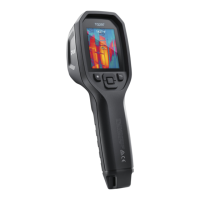
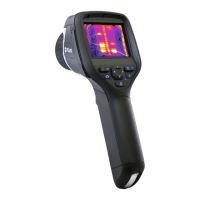
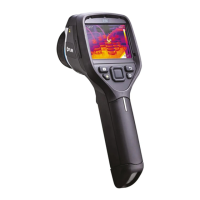
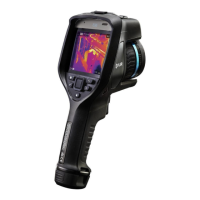
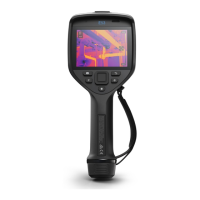
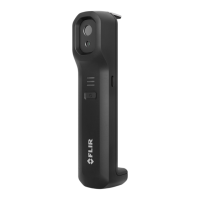
The FLIR Exx series camera is a thermal imaging device designed for various commercial, industrial, and government applications, enabling users to capture both thermal and visual images simultaneously. It is a fully radiometric camera, saving images in a lossless .jpg format that includes all thermal and visual information, allowing for extensive post-processing in FLIR Systems software. The camera supports several image modes, including Thermal, Thermal MSX (Multi Spectral Dynamic Imaging), Picture in picture, and Digital camera. Thermal MSX enhances infrared images with visual details, while Picture in picture displays an infrared frame on top of a visual image. The Digital camera mode captures high-resolution digital images (5 MP) but does not store thermal information. The digital camera can be turned off for use in restricted or confidential areas, in which case only the Thermal image mode is enabled.
Important Technical Specifications:
- Wavelength: 650 nm (laser).
- Maximum output power: 1 mW (laser).
- Image Resolution: Normal and UltraMax options available. UltraMax enhances image resolution and lowers noise, making small objects easier to see and measure. An UltraMax image is twice as wide and high as an ordinary image, captured by saving several ordinary images within the same file over up to 1 second with slight camera movement.
- Storage: Images are saved to a memory card, with an 8 GB card typically holding approximately 8000 images. The camera organizes files differently on memory cards, so using a card previously used in another camera type may risk data loss.
- Temperature Range: Calibrated for different temperature ranges, dependent on the camera model. The unit (℃ or ℉) is user-selectable.
- Focus: Manual, autofocus (contrast or laser-based), and continuous autofocus options. Laser-based autofocus uses continuous laser distance measurements.
- Connectivity: Wi-Fi and Bluetooth for connecting to the internet, FLIR Ignite cloud service, and external FLIR meters. USB-C for charging, data transfer to a computer, and connecting to a video monitor or projector (via USB-C to HDMI adapter).
- Battery: Rechargeable, with charging possible via a stand-alone battery charger, USB battery charger, or a USB cable connected to a computer. Battery status is indicated by an LED on the charger (flashing for charging, continuous for fully charged) or on the camera's swipe-down menu.
- File Naming: Default is FLIRxxxx.jpg, with an option for a date prefix (IR_yyyyy.jpg or MOV_yyyyy.jpg) or date + time only (YYYYMMDDhhmmssfff).
Usage Features:
- User Interface: Features a touch-screen LCD, navigation pad with center push, image archive button, programmable button, laser button, back button, and on/off button. The menu system can be navigated via touch or the navigation pad.
- Image Adjustment:
- Focus: Manual adjustment by rotating the focus ring, or autofocus by pressing the autofocus button. Continuous autofocus can be enabled via settings.
- Infrared Image Adjustment: Automatic or manual adjustment of level and span. Auto adjustment region allows colorization based on temperatures within a selected area. Manual adjustment can be done by touching the screen or using the navigation pad (Level, Span or Level, Max, Min modes). The touch screen can be locked to prevent unintentional adjustments.
- Color Palettes: Multiple options (Iron, Arctic, Rainbow, Rainbow high contrast, White hot, Black hot, Lava) to enhance image analysis.
- Measurement Tools: Spotmeters, boxes, circles, and lines can be added to measure temperature. User presets allow saving custom measurement tool configurations. Tools can be moved and resized.
- Measurement Parameters: Emissivity, reflected temperature, object distance, atmospheric temperature, relative humidity, and external IR window compensation can be set globally or locally for specific tools to ensure accurate measurements.
- Measurement Alarms: Above, Below, and Interval alarms can be set to trigger when temperatures exceed or fall below specified limits. Condensation and Insulation alarms are also available for building inspections. Alarm signals include visual indicators (red/blue values, blinking symbols) and an audible beep.
- Annotations: Add text notes, text comment tables (using templates), voice annotations (via built-in microphone or Bluetooth headset), and freehand sketches to images.
- Recording: Single shot image capture, video clip recording (in .mpg or radiometric .csq format), and time-lapse photography with configurable intervals and total image counts.
- Image Archive (Gallery): Organize, view, edit, and delete images and video clips. Create, rename, and move files between folders.
- Cloud Connectivity (FLIR Ignite): Upload images and videos automatically or manually to a cloud storage service for access across devices, editing, basic reporting, and sharing. Requires Wi-Fi or Bluetooth internet connection and pairing with a FLIR Ignite account.
- Inspection Route: Guides the operator through predefined inspection points, collecting images and data in a structured manner. Supports setting status, adding comments, and creating inspection reports. Inspection route files (.xml) can be created in FLIR Thermal Studio, in the camera, or manually edited.
- External FLIR Meters: Fetch data from compatible Bluetooth-enabled FLIR meters (e.g., MR77, DM93) and merge it into infrared images, displaying values in the result table and saving them with the image file. Useful for typical moisture measurement and documentation procedures.
Maintenance Features:
- Calibration: Recommended annual calibration by a local sales office. The camera also supports user-performed AutoCal for new lenses using a calibration target.
- Non-Uniformity Correction (NUC): Performed automatically (at start-up, when changing temperature range, or environmental temperature changes) or manually to compensate for detector element sensitivities and optical disturbances.
- Cleaning:
- Camera Housing, Cables, and Other Items: Clean with a soft cloth soaked in warm water or a weak detergent solution. Avoid solvents.
- Infrared Lens: Clean with cotton wool soaked in commercial lens cleaning liquid (with >30% isopropyl alcohol) or 96% ethyl alcohol. Do not use dry lens cleaning cloths or clean vigorously due to the delicate anti-reflective coating.
- Infrared Detector: Remove dust using pressurized air from a compressed air canister after removing the lens. Mechanical cleaning by an authorized service partner may be required for stubborn dust.

 Need help?
 General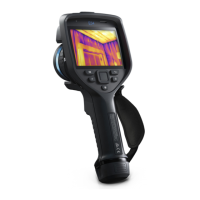

 To Next Page