Handling the camera
7
7.6 Measuring areas
7.6.1 General
Note The availability of this feature is dependent on the camera model.
The distance measured by the laser distance meter can be used as the basis for area
calculations. A typical application is to estimate the size of a damp stain on a wall.
To measure the area of a surface, you need to lay out a box or circle measurement tool
on the screen. The camera calculates the area of the surface enclosed by the box or
circle tool. The calculation is an estimate of the surface area, based on the measured
distance to the target.
When the laser distance meter is on, you will see a laser dot approximately at the target.
The laser distance meter measures the distance to that target. The camera assumes that
this distance is valid for the entire box or circle tool.
For successful area measurements, keep the following in mind:
• Make sure that the box or circle tool is in the center of the image.
• Adjust the size of the box or circle tool to the size of the target.
• Hold the camera perpendicular to the target.
• Avoid targets with many details at different distances from the camera.
7.6.2 Procedure
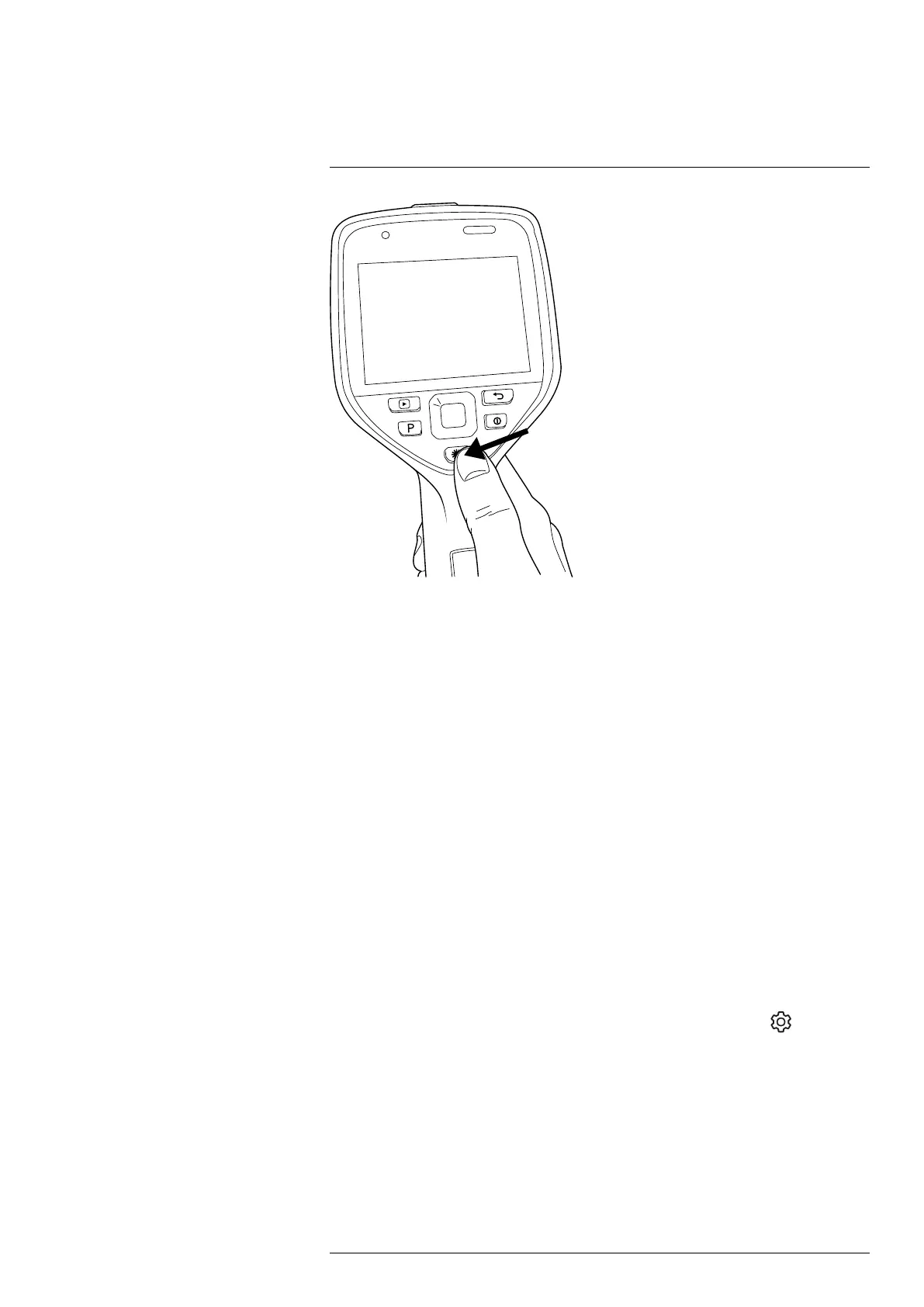
Note This procedure assumes that you have enabled the laser. Select
(Settings) >
Device settings > Lamp & laser > Enable lamp & laser.
Follow this procedure:
1. Add a box or circle measurement tool, see section 13.2 Adding/removing measure-
ment tools.
2. Set the camera to measure and display the area of the box or circle, see section 13.6
Displaying values in the result table.
3. Make sure that the box or circle tool is in the center of the image, see section 13.4
Moving and resizing a measurement tool.
4. Adjust the size of the box or circle tool to the size of the target, see section 13.4 Mov-
ing and resizing a measurement tool.
#T810587; r. AC/84076/84376; en-US
24


 To Next Page