Handling the camera
7
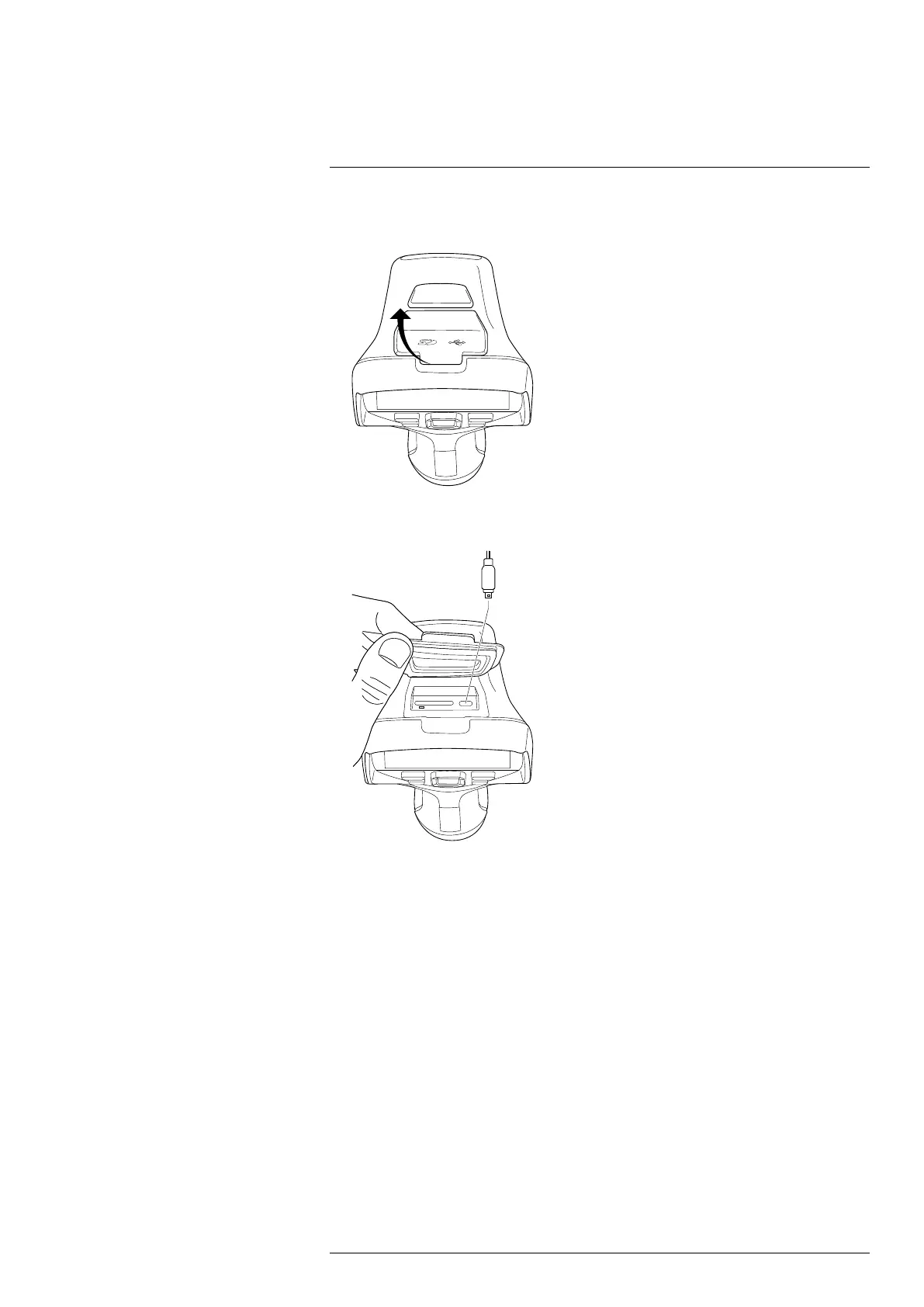
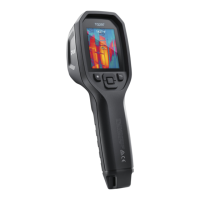
To move files to a computer via USB cable, do the following:
1. Fold up the rubber cover at the top of the camera.
2. Connect a USB cable to the USB-C connector in the connector bay. Connect the oth-
er end of the USB cable to the computer.
3. Turn on the camera.
4. Do one of the following:
• Move the files to the computer using a drag-and-drop operation.
Note Moving a file using a drag-and-drop operation does not delete the file in
the camera.
• Import the images into a FLIR Thermography software.
7.8.1 Related topics
You can also set up the camera to upload images for storage online, see section 9 Cloud
connectivity, page 46.
#T810587; r. AC/84076/84376; en-US
26


 To Next Page