4 FLIR Si2x-Series operations
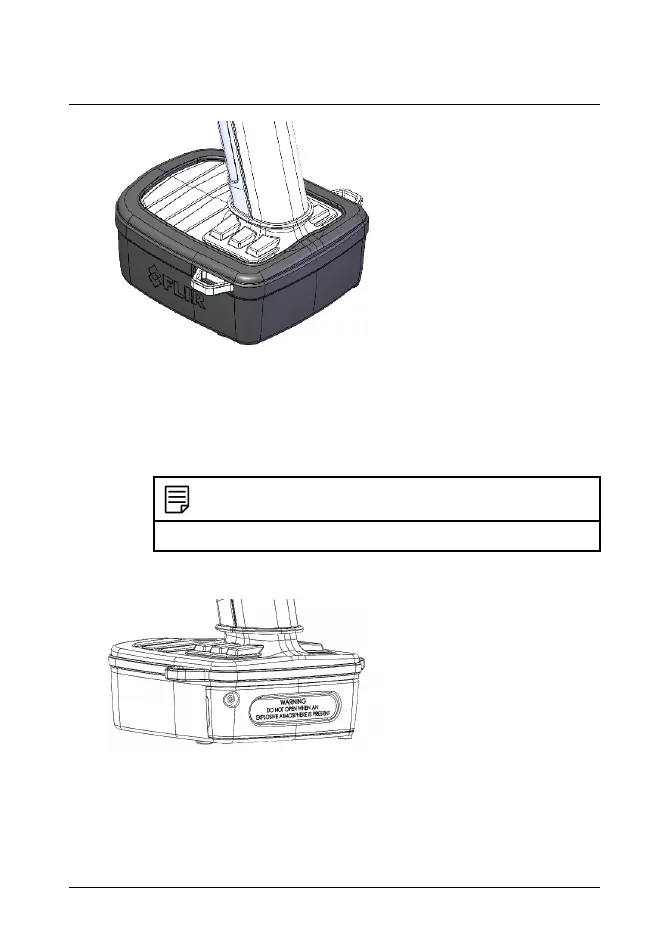
1.1. Temporarily remove the battery guard by grasping the ends near the
front of the camera. If using a compliant neck strap, remove it first.
1.2. Slide the battery guard down from the top and make sure the neck
strap attachment points are free. Continue sliding until the cover is
completely removed from the camera´s battery case.
NOTE
A compliant neck strap can be used with the camera.
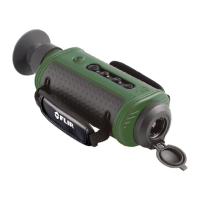
2. Open the battery compartment:
2.1. Unscrew the HEX 2.5 mm screw counterclockwise from the battery
door.
2.2. Pull out the door to open the battery compartment.
#T810652; r. AC/101642/101642; en-US 6


 To Next Page