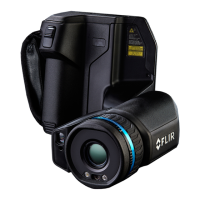
4 FLIR Si2x-Series operations
4.1 Introduction
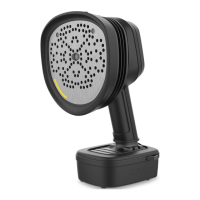
The FLIR Si2x-Series series represents the most advanced acoustic perform-
ance and decision support available on the market today. The FLIR Si2x-Series
series are ATEX certified acoustic cameras for hazardous locations. These cam-
eras allow quantification of pressurized gas leakage, mechanical fault identifica-
tion and partial discharge detection in explosive atmosphere. ATEX certified for
Zone 2 (gas), and Zone 22 (dust), the Si2x provides an effective, easy to use
scalable ultrasound inspection tool that helps reduce energy costs and loss of
productivity for Explosive Vapor and Explosive Dust environments.
This chapter covers essential operations that must be performed on the camera
before entering a potentially explosive atmosphere, including battery placement
and USB export.
Required tools (included in package):
• H2.0 Hex Bit screwdriver (USB cover)
• H2.5 Hex Bit screwdriver (battery door)
4.2 Battery placement and removal
The FLIR Si2x-Series uses an RRC power solutions GmbH RRC2054 lithium-ion
battery pack.
WARNING
Keep the battery guard on the battery casing at all times when using the cam-
era, especially in a potentially explosive atmosphere.
WARNING
Do not insert, remove, or replace the camera battery in a potentially explosive
atmosphere.
4.2.1 Opening the battery compartment
1. Remove the battery guard:
#T810652; r. AC/101642/101642; en-US 5


 To Next Page