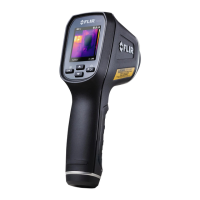
FLIRTG54_TG56UserManual17DocumentIdentifier:TG54_TG56‐en‐US_AA
MenuParameters(pressandholdMENUtoaccessthelist)
Icon Description
Displaymodes(usethemenubuttontostepthroughmodes)
MINMAX:Highest/lowesttemperaturereadingsareshown
Averagetemperaturereadinganddelta(MaxminusMin)shown
Three‐readingmode:Threemostrecentreadingsareshown
Thisiconisshownwhena thermocoupleisconnected(TG56)
Emissivity:Selectapreset(0.95,0.85,0.75,0.65)orsetacustomemissivity
valueatthecustomemissivityicon
AlarmModes:ProgramOFF,Low,High,orLow/HighAlarms
LaserPointer:ON/OFF(useMENUbuttontotoggle)
TemperatureUnits:
o
C/
o
F(useMENUbuttontotoggle)
AutoPowerOFF(APO)options:5,10,and20seconds
Helpscreen:Contactandotherusefulinformation
InfoScreen:ViewFirmwareversion,Calibrationdate,andLaserinformation.
NavigationIcons(usearrowbuttonstoscroll)
Promptstheusertoscrolluptoothermenuitems
Promptstheusertoscrolldowntoothermenuitems
Fig6‐1ProgrammingMenuOverview


 To Next Page