What’s in the box
You will receive your Flitescooter in four separate shipment packages.
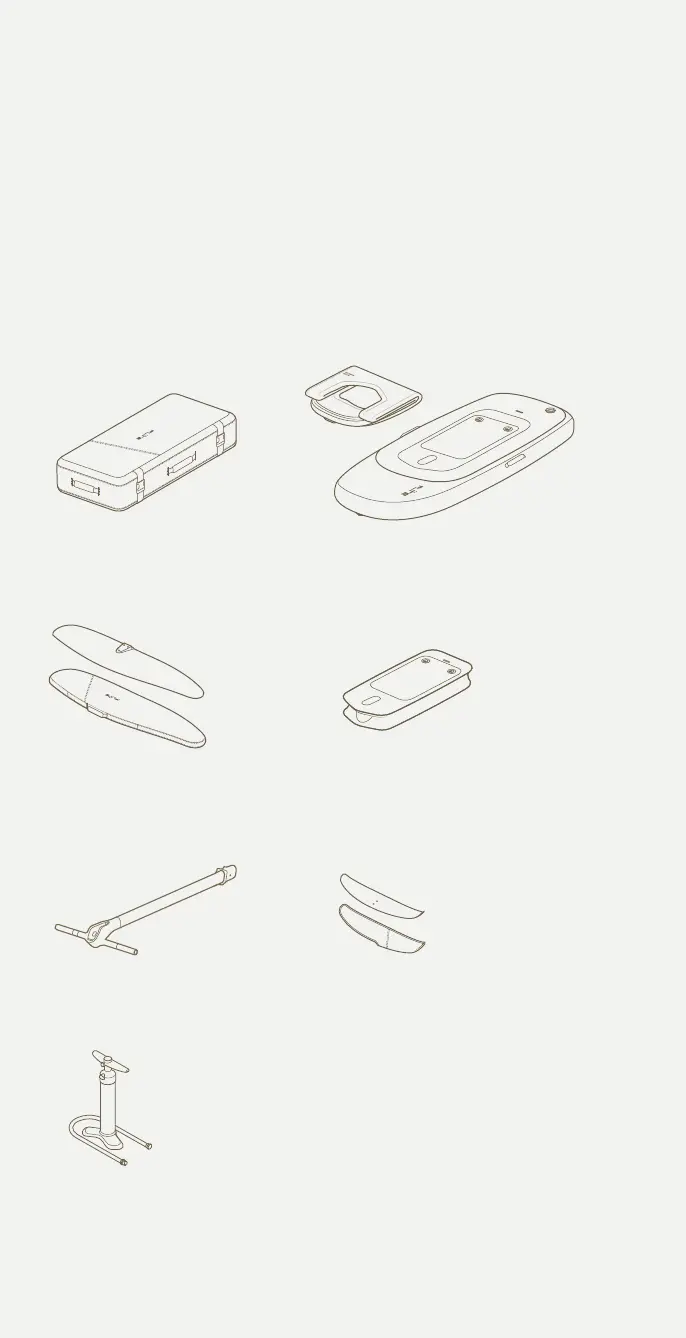
Box 1 Flitescooter and wings
Within the board bag you will find the Flitescooter core, bladder, pump and
hose, handlebars, Cruiser 1800 wing and Flite 500 stabiliser wing. Cruiser
1800 wing comes with a cover, Tef-Gel, Hex Key M6 and associated bolts
and Fuselage cover. Flite 500 stabiliser comes with a cover and the required
shims can be found in the accessories pouch.
Flitescooter
bladder
Flitescooter core
Flitescooter
travel bag
Flite 500
2 x M6 x 25mm
Flitescooter pump
and hose
fliteboard air bag is rectangular
Cruiser 1800
Fuselage cover 1
1 x M6 x 40mm
2 x M6 x 35mm
Flitescooter handlebars
COVER
3. Avoid contact with the wings and Flite Jet
5
6
3
4
Flitescooter assembly
Inating Flitescooter
5. Keep distance
200m
6. Release the throttle
7. What’s in the box
Connect the handlebars to Flitescooter
Turn the handlebars upside down and place the Flite Controller wrist
strap over the bottom of the handlebars. Carefully slide the wrist
strap to the very top by holding onto Flite Controller.
With your other hand, lift the latch on the back of the Flite Controller
cavity. Place Flite Controller into the handlebar cavity and gently
push until you hear it click into place.
No relevant for scooter - image will be
removed
‘200m’ needs the right font
Pg. 43 - Angle too aggressive
Updates
Pg. 12 - Update ite scooter bladder
Pg. 12 - Update ite scooter core
Pg. 27 - Update 'turning on itescooter' image
Pg. 17 - long throw trigger update
Pg. 32 - Update handlebar image to one without controller in it.
- Add existing controller image back into this page
-Add ‘Latch for Flite Controller’ to handlebar diagram
-Update line ‘throttle trigger’ to ‘Thumb throttle’
Controller as it previously was showing all controls
Add below images in this order to
Flitescooter Common Mistakes
Pg. 14 - wing and stab update - Cruiser 1800 + 500 + jet
Pg. 43 - Angle too aggressive
Updates
Pg. 12 - Update ite scooter bladder
Pg. 12 - Update ite scooter core
Pg. 27 - Update 'turning on itescooter' image
Pg. 17 - long throw trigger update
Pg. 32 - Update handlebar image to one without controller in it.
- Add existing controller image back into this page
-Add ‘Latch for Flite Controller’ to handlebar diagram
-Update line ‘throttle trigger’ to ‘Thumb throttle’
Controller as it previously was showing all controls
Add below images in this order to
Flitescooter Common Mistakes
Pg. 14 - wing and stab update - Cruiser 1800 + 500 + jet
12


 To Next Page
 Loading...