212516 D/GB
18
GB
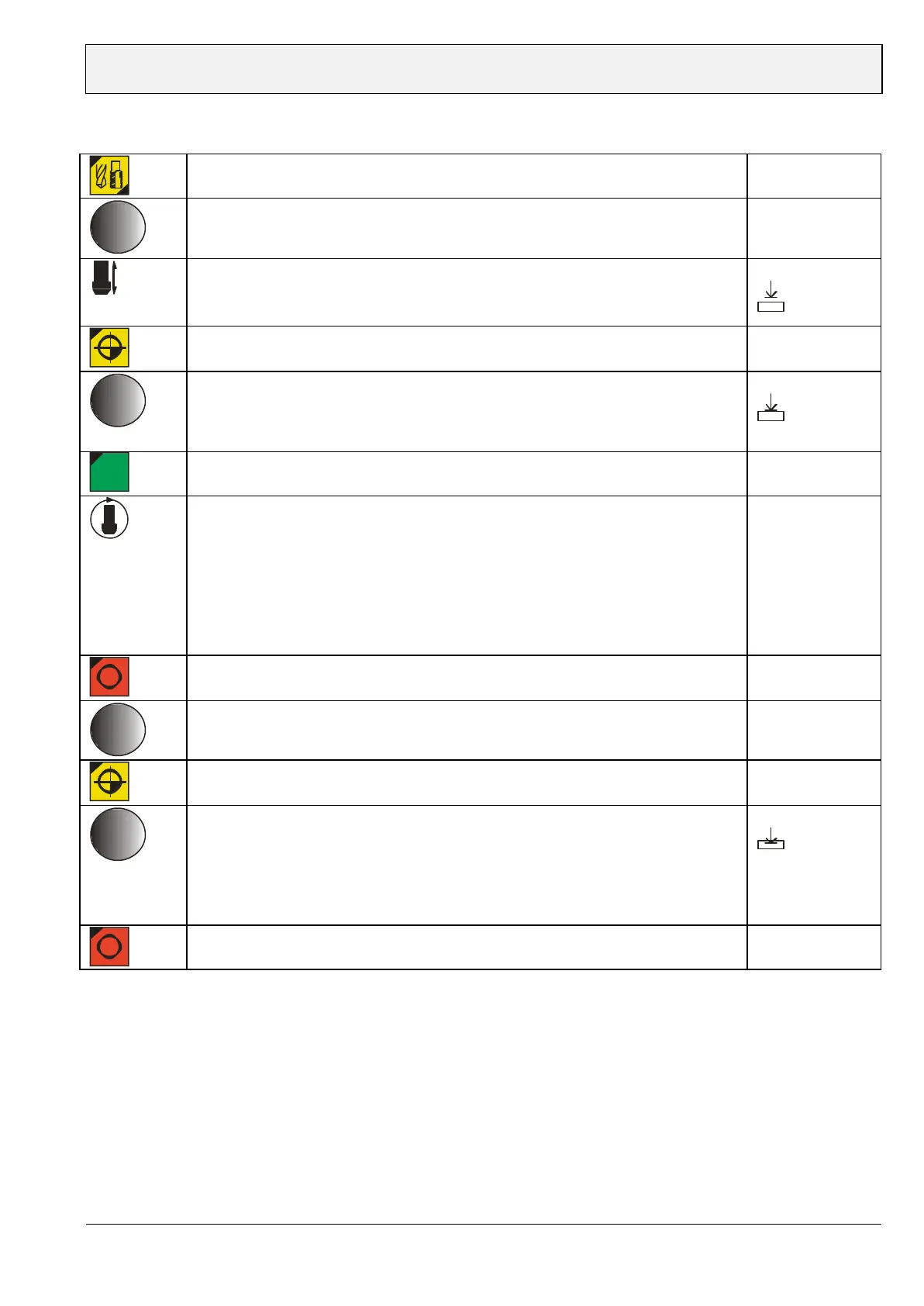
Mode Tapping
Set mode "Tapping"
(Display tap drill / LED Tapping)
Display flashes
"Tapping"
Set speed(rpm) / control knob
Adopt speed(rpm) by pushing control knob
Stop ring push right
Display flashes
Feed tap drill on to work piece Display flashes
X.X
Push Zero adjustment button
Set tap depth by turning control knob
Adopt value by pushing control knob
- alternative: Set spindle to required tap depth (e.g. 8mm) by using lever
Adopt value by pushing control knob
Display flashes
X.X
START
1/min
Spindle turns
- Feed tap drill into work piece
- The spindle pulls itself into the work piece (Support directing)
- spindle by using lever in order to avoid tension on the tap drill especially
important with soft materials). After reaching nominal depth the spindle turns
"left" and the tap drill starts to exit the work piece.
- After tap drill exit(Drill depth display -0,3 mm) drill rotation turns back to
right direction
STOP
Change of tap settings spindle speed (rpm)
spindle speed(rpm) can be adjusted during downtime or operation by turning
control knob.
Change of tap settings zero point
Zero point (workpiece surface)can be adjusted during downtime or operation.
Change of tap settings tap drill depth
machine in operation
- Push control knob
- Set drill depth by turning control knob
- Adopt new drill depth by pushing control knob
- Now change of speed(rpm) is active again
value flashes
X.X
STOP


 To Next Page