Fluance Ai41 User Manual 9
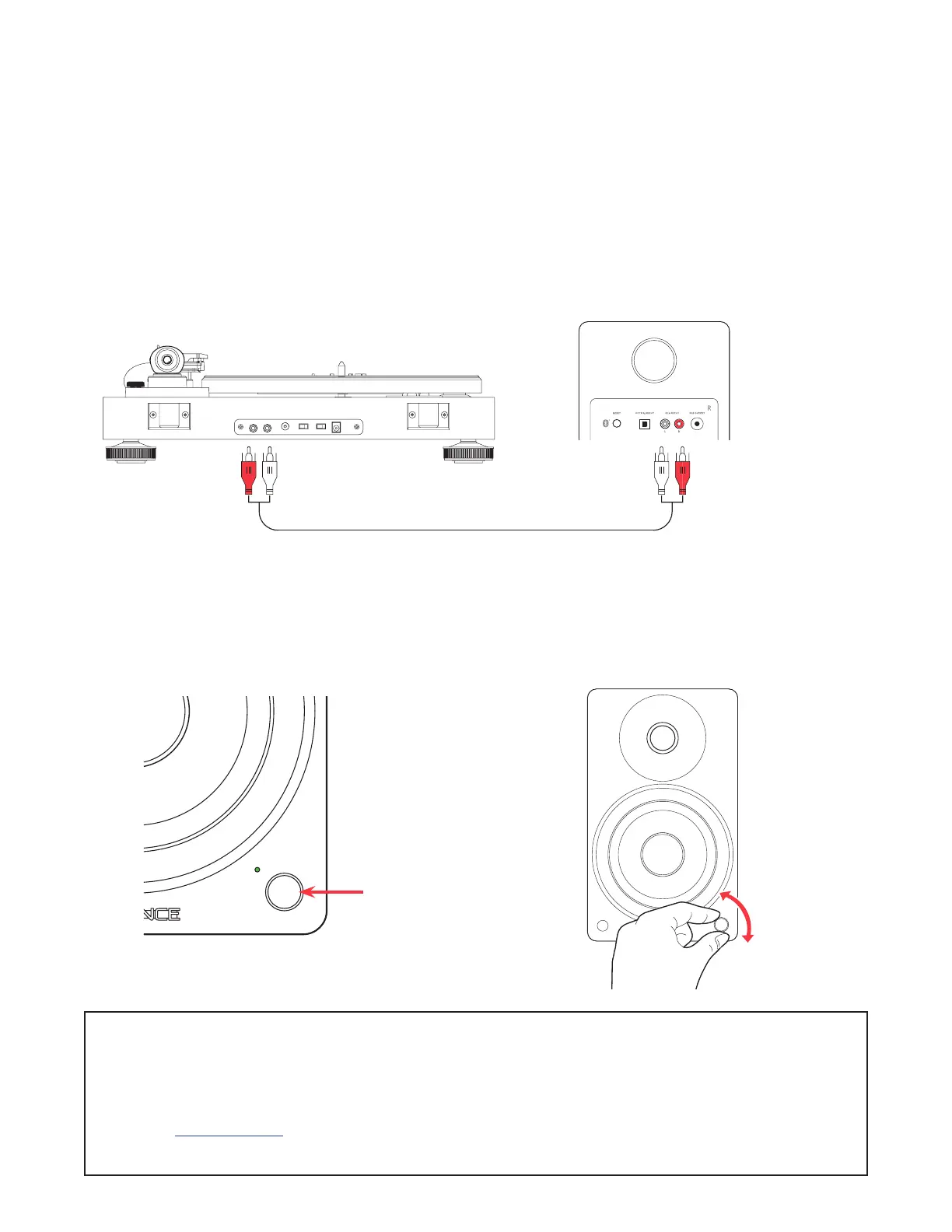
RCA Input
1. Connect the RCA cable to
your source device (Turntable,
Smartphone, Computer…).
3. Press the Control Knob to select
the RCA input (Green LED).
2. Connect the other end of
the RCA cable to back of
the Active Speaker.
4. Adjust volume on Ai41 as
well as source device.
*RCA to RCA cable not included
NOTE: When connecting a turntable to the Ai41, a phono preamplier (preamp)
must be used. Some turntables include a built-in preamp but others, without
one, would require an external preamp.
Visit Fluance.com for more information on our phono preamplier, the PA10.


 To Next Page