Fluance RT80/RT81 User Manual
13
Replacing the Stylus
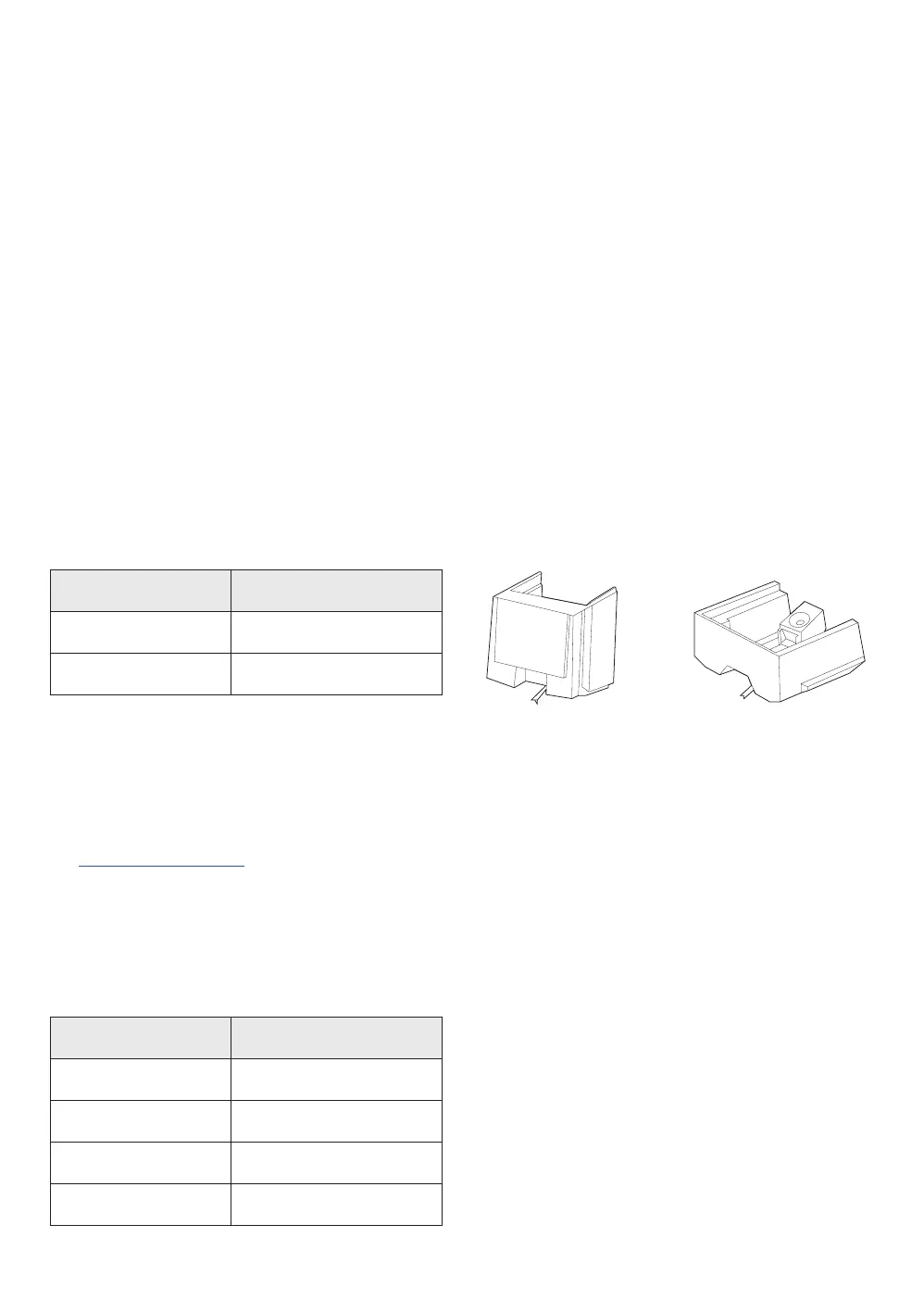
Use the chart below to ensure you replace your stylus with the correct model.
Replacement stylus and instructions are available at www.fluance.com
Replacing the Cartridge
Replacement cartridges and a helpful cartridge installation guide and video are available
on www.fluance.com. There is also a Cartridge Alignment Protractor at the end of this
manual for convenience.
Model Stylus
RT80 ATN91
RT81 ATN95E
ATN95E
ATN91
Cartridge Connections
Wire Channel
White Lef t (+)
Blue Left (-)
Red Right (+)
Green Right (-)
Maintenance
Cleaning the Turntable
1. Use a soft dry microfiber cloth to wipe dust from the turntable surface.
2. Keep the dust cover closed to ensure the turntable components remain dust free.


 To Next Page