11
Operating Your Television
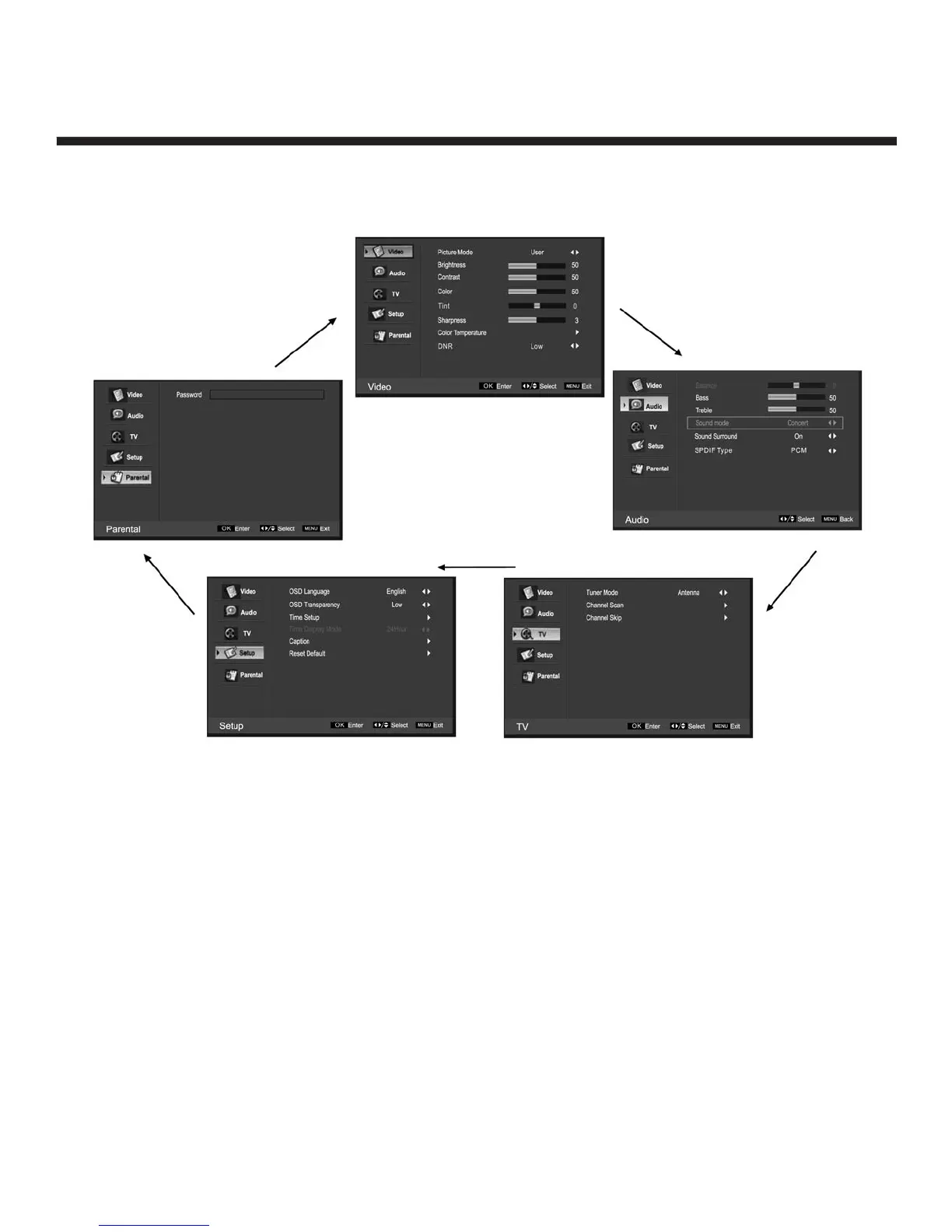
Navigating the Onscreen Display
• Press the MENU button to display the main menu.
• Use e / d buttons to navigate and select the available menus.
Choosing a TV Channel
1. Using the CH+/CH – on the front panel or on the remote control.
• Press CH+ to increase the channel.
• Press CH- to decrease the channel.
2. Using 0-9 remote keys
Enter the channel number with the 0-9 remote keys, the press “OK” to select the channel.
For example:
1. Press 4, then press “OK” to select channel 4.
2. Press 4, then press 5, then press “OK” to select channel 45.
3. Press 1, then press 2, then press 1, finally press “OK” to select channel 121.


 To Next Page