13
NFC (Near Field Communication) Operation
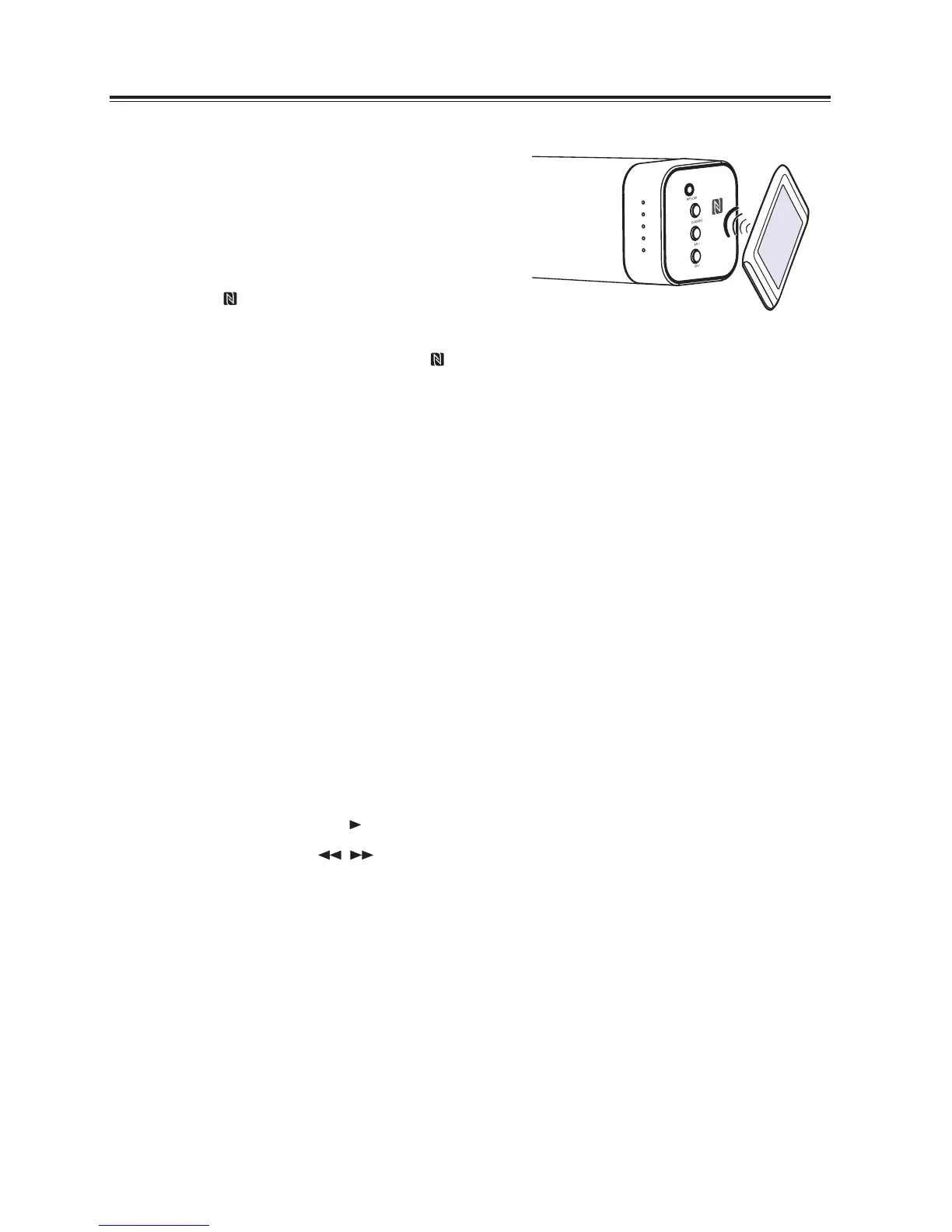
Pair your NFC-enabled mobile device directly with this
unit by just a single tap.
- Make sure the unit is disconnected from other
Bluetooth devices.
1. Activate NFC on your mobile device.
2. Switch the unit to Bluetooth mode, then tap the mobile
device on the icon of the unit.
3. Operate your mobile device directly for playback features.
4. To disconnect, tap the mobile device on the icon of the unit to disconnect or disable NFC from your
mobile device.
Note: This NFC function only works with mobile devices that support NFC technology.
Tips:
Some NFC-enabled mobile devices cannot pair directly with the unit via NFC, please try either one of the
solutions below:
• PleasedownloadtheApp“Tap-and-Pair”fromGooglePlayStore(https://play.Google.com)and
install.
• Pairwiththeunitmanuallyrst,thentouchagainontheNFCsensingarea.
Listen to Music from Bluetooth Device
- If the connected Bluetooth device supports Advanced Audio Distribution Prole (A2DP), you can listen
to the music stored on the device through the player.
- If the device also supports Audio Video Remote Control Prole (AVRCP), you can use the player’s
remote control to play music stored on the device.
1. Pair your device with the player.
2. Play music via your device (if it supports A2DP).
3. Use supplied remote control to control play (if it supports AVRCP).
- To pause/resume play, press the
II
button on the remote control.
- To skip to a track, press the
I / I
buttons on the remote control.


 To Next Page