5
Identifying the Parts
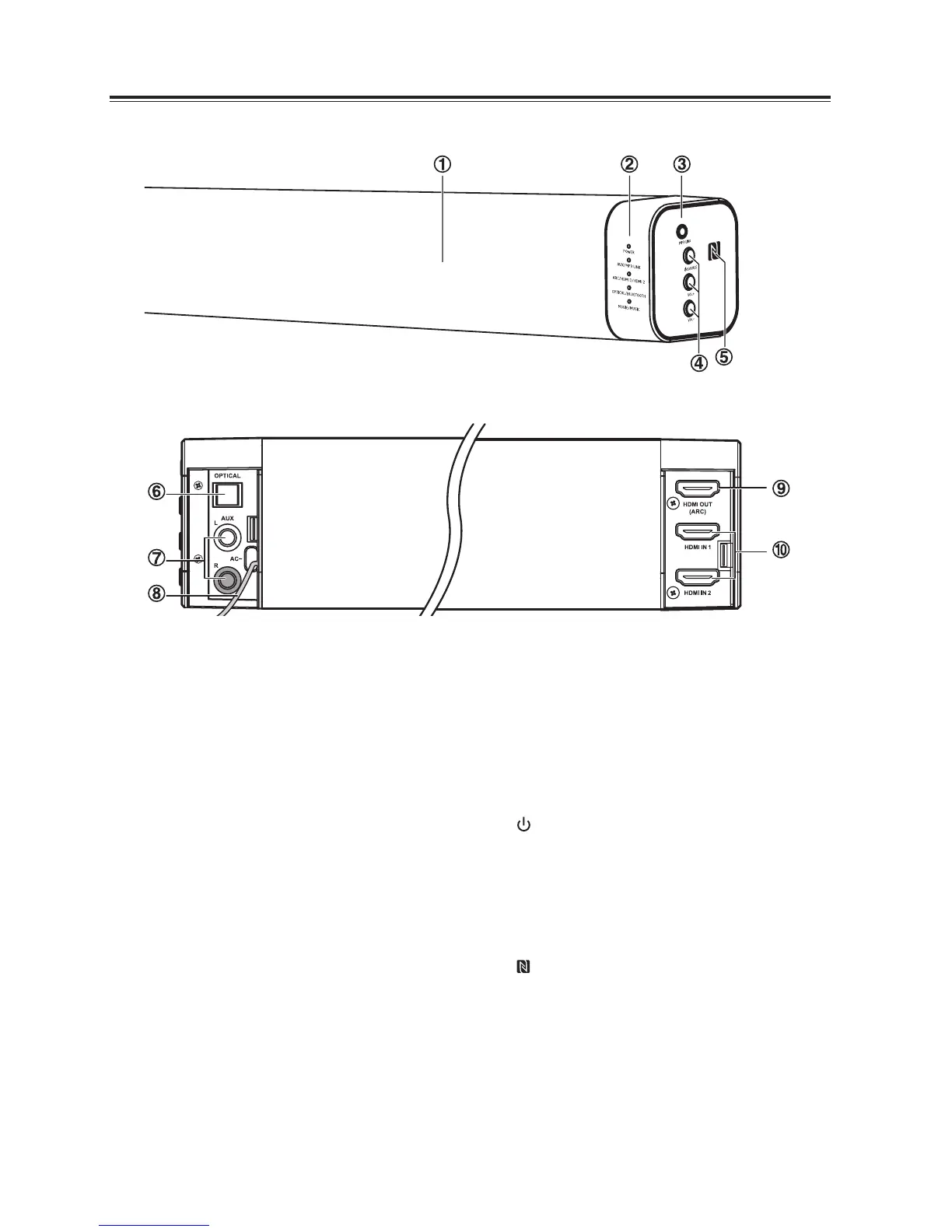
1 Remote Control Sensor
2 LED Indicators
• POWER:
In STANDBY mode: Light up red.
• AUX/MP3 LINK
In AUX mode: Light up solidly.
In MP3 LINK mode: Light ash.
• ARC/HDMI 1/HDMI 2
In ARC mode: Light up solidly.
In HDMI 1 mode: Light ash fast.
In HDMI 2 mode: Light double ash.
• OPTICAL/BLUETOOTH:
Sound output available (OPTICAL):
Light up solidly.
Sound output unavailable (OPTICAL):
Light ash fast.
Bluetooth mode: Light ash slowly.
NO BT mode: Light double ash.
Bluetooth pairing mode: Light ash fast.
• MOVIE/MUSIC:
In MOVIE mode: Light o.
In MUSIC mode: Light up solidly.
3 MP3 LINK Socket
Connect to an external audio device.
4 /SOURCE
Press this button to switch the unit on or
press and hold to switch to Standby mode.
Select the play function.
5 VOL+/VOL-
Increase/decrease the volume level.
6
NFC (Near Field Communication) sensor.
7 OPTICAL Socket
Connect to an external audio device.
8 AUX (L/R) Socket
Connect to an external audio device.
9 AC~ Power Cord
10 HDMI OUT(ARC) Socket
11 HDMI IN 1/ HDMI IN 2 Socket
Main Unit
Front View
Rear View
(Left) (Right)


 To Next Page