1
Introduction
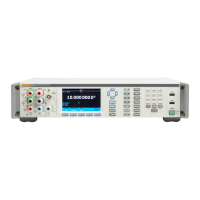
This document defines the remote interface commands for the Fluke Calibration
8588A Reference Multimeter and 8558A 8 ½ Digit Multimeter (the Product, DMM,
or Instrument). These commands may be used by a computer connected through
any of the remote interface ports to set settings, read measurement data, and
control the operation of the instrument. Command syntax and names follow the
IEEE-488.2 and SCPI standards.
Contact Fluke Calibration
To contact Fluke Calibration, call one of the following telephone numbers:
• Technical Support USA: 1-877-355-3225
• Calibration/Repair USA: 1-877-355-3225
• Canada: 1-800-36-FLUKE (1-800-363-5853)
• Europe: +31-40-2675-200
• Japan: +81-3-6714-3114
• Singapore: +65-6799-5566
• China: +86-400-810-3435
• Brazil: +55-11-3759-7600
• Anywhere in the world: +1-425-446-6110
To see product information and download the latest manual supplements, visit
Fluke Calibration’s website at www.flukecal.com.
To register your product, visit http://flukecal.com/register-product.
Remote Operation
When the Product is operated in remote control, all local controls, except
(Go To Local) and are disabled.
The Product supports remote control GPIB, USBTMC-USB488, and Ethernet.
When under remote control, the state of important conditions within the Product
can be determined by reading status registers defined by IEEE488.2 and SCPI
1999.


 To Next Page