180LR, 180LG
Users Manual
10
Maintenance
The Product does not require maintenance but treat the
Product as a calibrated instrument. Do not drop the Product.
Warning
To prevent eye damage and personal injury, do not
open the Product. The laser beam is dangerous to the
eyes. Have the Product repaired only through an
approved technical site.
Clean the Product
Clean the case with a damp cloth and a weak soap solution.
Do not use abrasives, isopropyl alcohol, or solvents to clean
the case or optic windows.
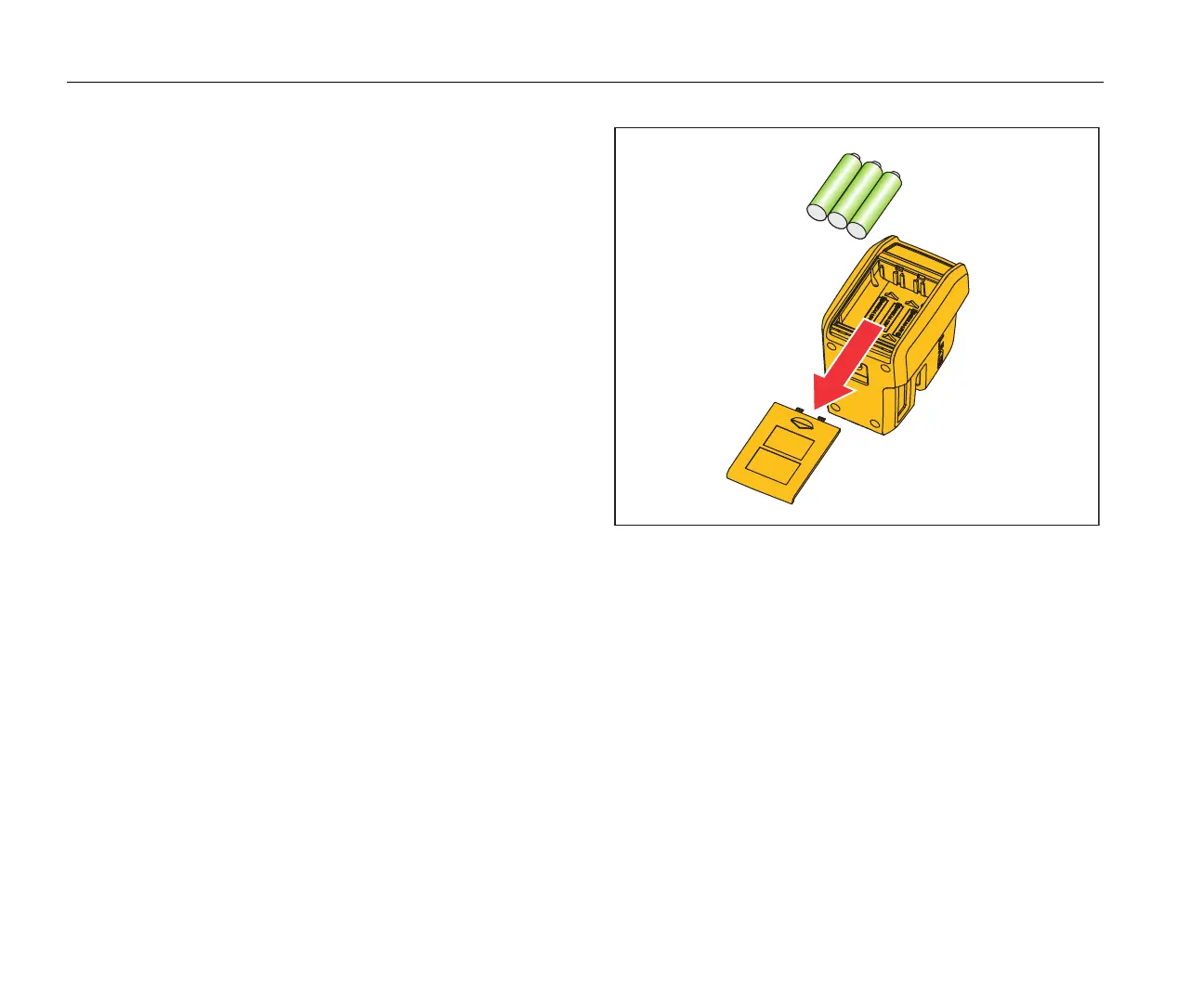
Batteries
Replace the batteries when the indicator LED is yellow.
To install or replace the batteries (See Figure 7.):
1. Remove the battery comp
artment lid.
2. Install three AA batteries with the correct polarity.
3. Replace the battery compartment lid.
Figure 7. Battery Replacement
Specifications
Light Source ......................Semiconductor laser diode
Working Range..................≤60 m
Accuracy............................≤3 mm @ 9 m
Leveling .............................Automatic
Leveling Range .................≤6 °



 To Next Page