ScopeMeter® Test Tool 190 Series II
Users Manual
Connecting to a Computer
7RFRQQHFWWKHWHVWWRROWRD3&RUQRWHERRNFRPSXWHUDQG
XVHWKH)OXNH9LHZVRIWZDUHIRU:LQGRZV
6::GR
WKHIROORZLQJ
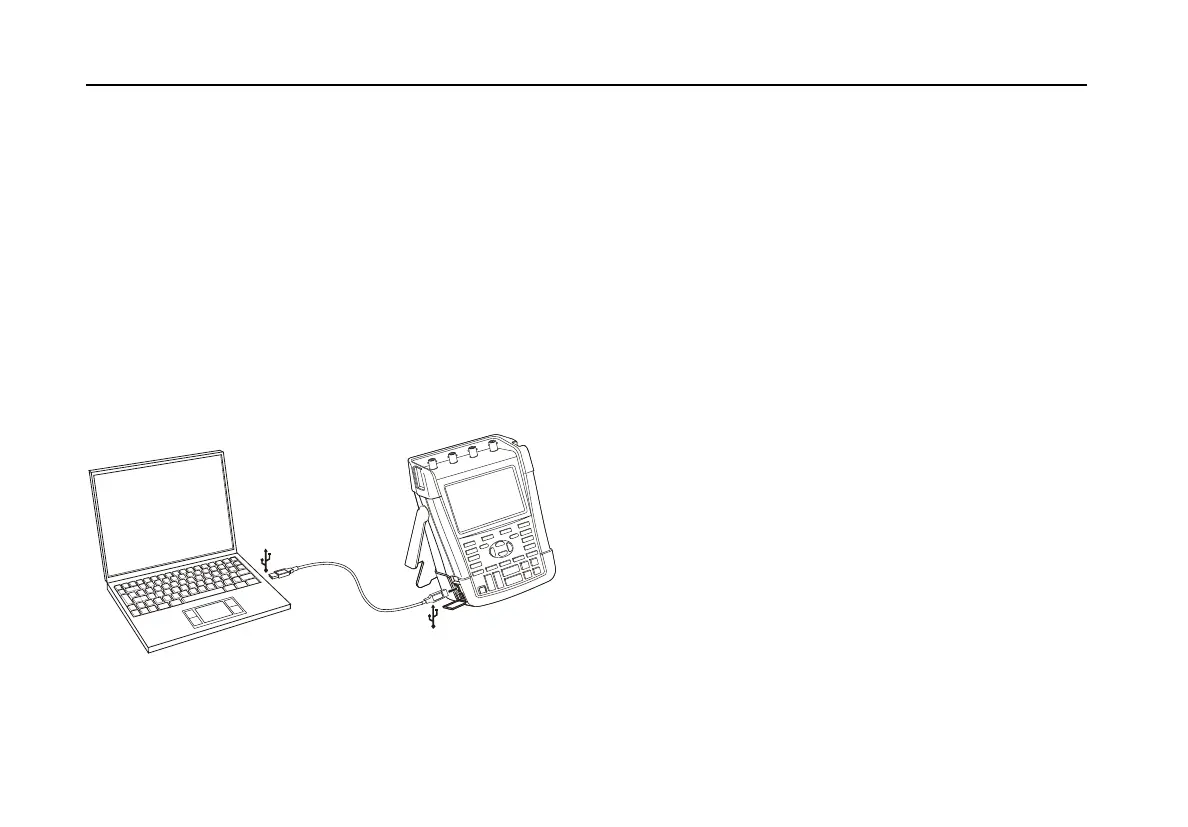
x 8VHD86%$WRPLQL86%%LQWHUIDFHFDEOHWR
FRQQHFWDFRPSXWHUWRWKHPLQL86%3257RIWKHWHVW
WRRO6HH)LJXUH
x ,QVWDOOWKHWHVWWRRO86%GULYHUVVHH$SSHQGL[$
x ,QVWDOOWKH)OXNH9LHZ
'HPRYHUVLRQ)RULQIRUPDWLRQ
DERXWLQVWDOOLQJDQGXVLQJWKH)OXNH9LHZ
6FRSH0HWHU
VRIWZDUHVHHWKH)OXNH9LHZ
8VHUV
0DQXDORQWKH&'520
Figure 36. Connecting a Computer
Notes
- The optional kit SCC290 contains an
activation code to convert the
FlukeView® Demo version into a fully
operational version.
- A complete FlukeView® version can be
ordered using ordering code SW90W.
For use with the Fluke Series II
ScopeMeter®test tools
FlukeView®ScopeMeter®release V5.1
or higher is required.
- The test tool input channels are
electrically isolated from the USB port.
- Remote control and data transfer via
mini-USB is not possible while saving
or recalling data to or from the USB-
stick.










 To Next Page