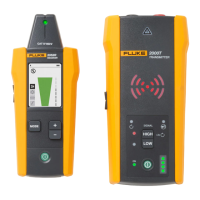
Wire Tracer Receiver and Transmitter
Receivers
9
Change Settings
Use the settings menu to set the language, screen brightness, and the breaker type (GFCI or
RCD).
To change the settings:
1. Push to highlight h.
2. Push to open the settings menu.
3. Push /// to highlight a selection.
4. Push to set the selection.
5. To return to the home screen, Push /// to highlight f.
6. Push .
View Help Screen
To open the help screen:
1. Push to highlight h.
2. Push to highlight i.
3. Push to open the help menu.
4. Push to return to the home screen.
Change the Volume
To c h a n g e t h e v o l u m e :
1. Push to highlight h.
2. Push to highlight
e.
3. Push to open the volume menu.
4. Push / to adjust the volume.
5. Push to set the volume and return to the home screen.


 To Next Page