2052R/2062R/2000T
Users Manual
24
Quick Scan Mode (2052R)
To u s e q u i c k sc a n m o d e :
1. Scan a target area with the tip sensor to find a signal.
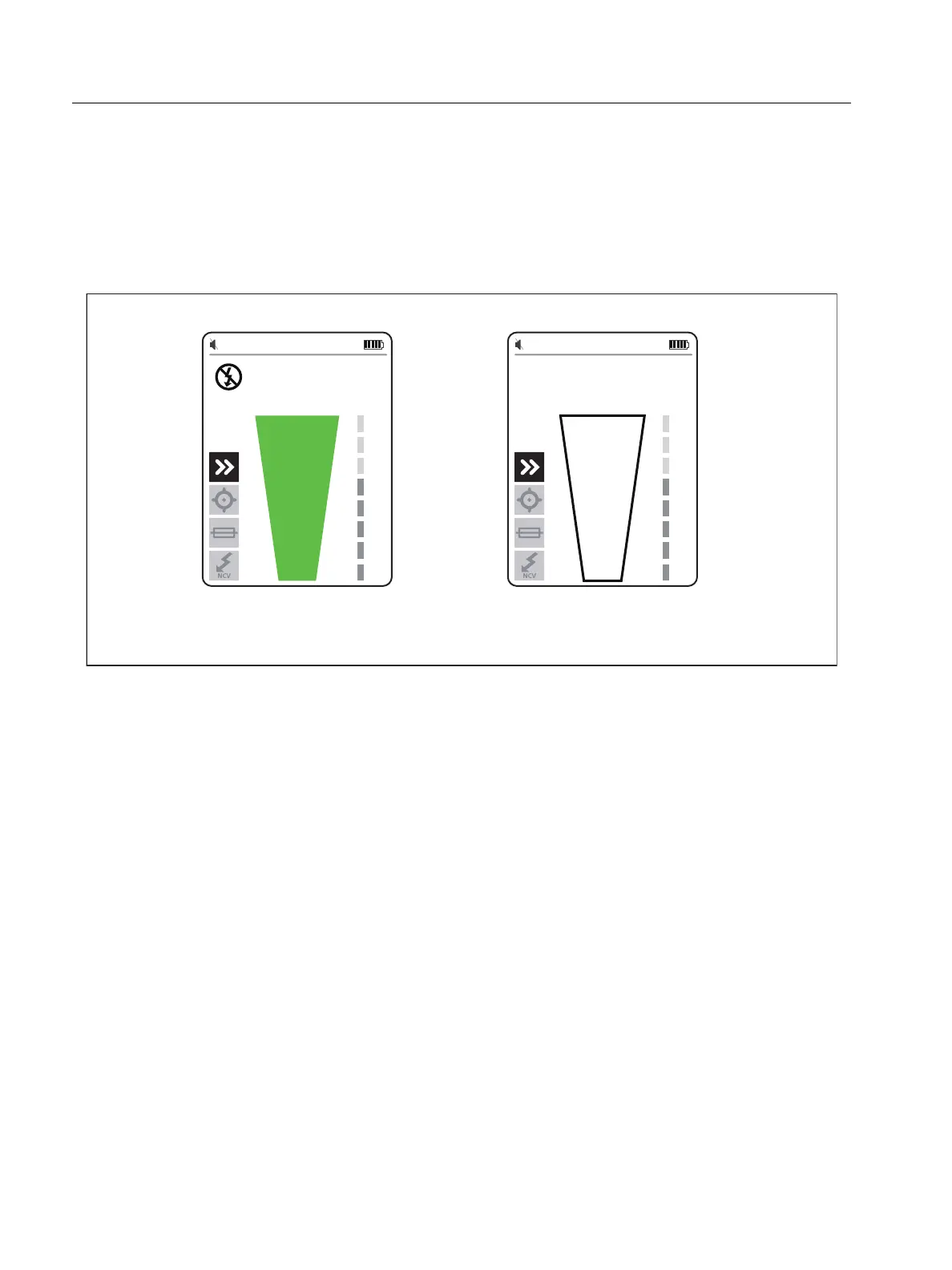
The signal strength indicator on the display changes. See Figure 8.
Figure 8. Quick Scan Signal Strength
2. If needed, push
/ to increase or decrease the sensitivity to locate the signal.
3. With the signal detected, change to precision mode or breaker mode. See Tip Sensor
Mode.
Tip Sensor Mode
To use tip sensor mode:
1. Scan a target area with the tip sensor to find the highest signal level.
2. With a wire detected, align the tip sensor perpendicular to the wire to find the highest signal
level. Align the groove on the top of the tip sensor parallel to the wire. See Figure 9.
3. To verify the direction of the wire, periodically rotate the Receiver 90 degrees from side to
side while the tip sensor remains perpendicular to the wire.
Signal Detected Signal not Detected


 To Next Page