Wire Tracer Receiver and Transmitter
Use the Receiver
23
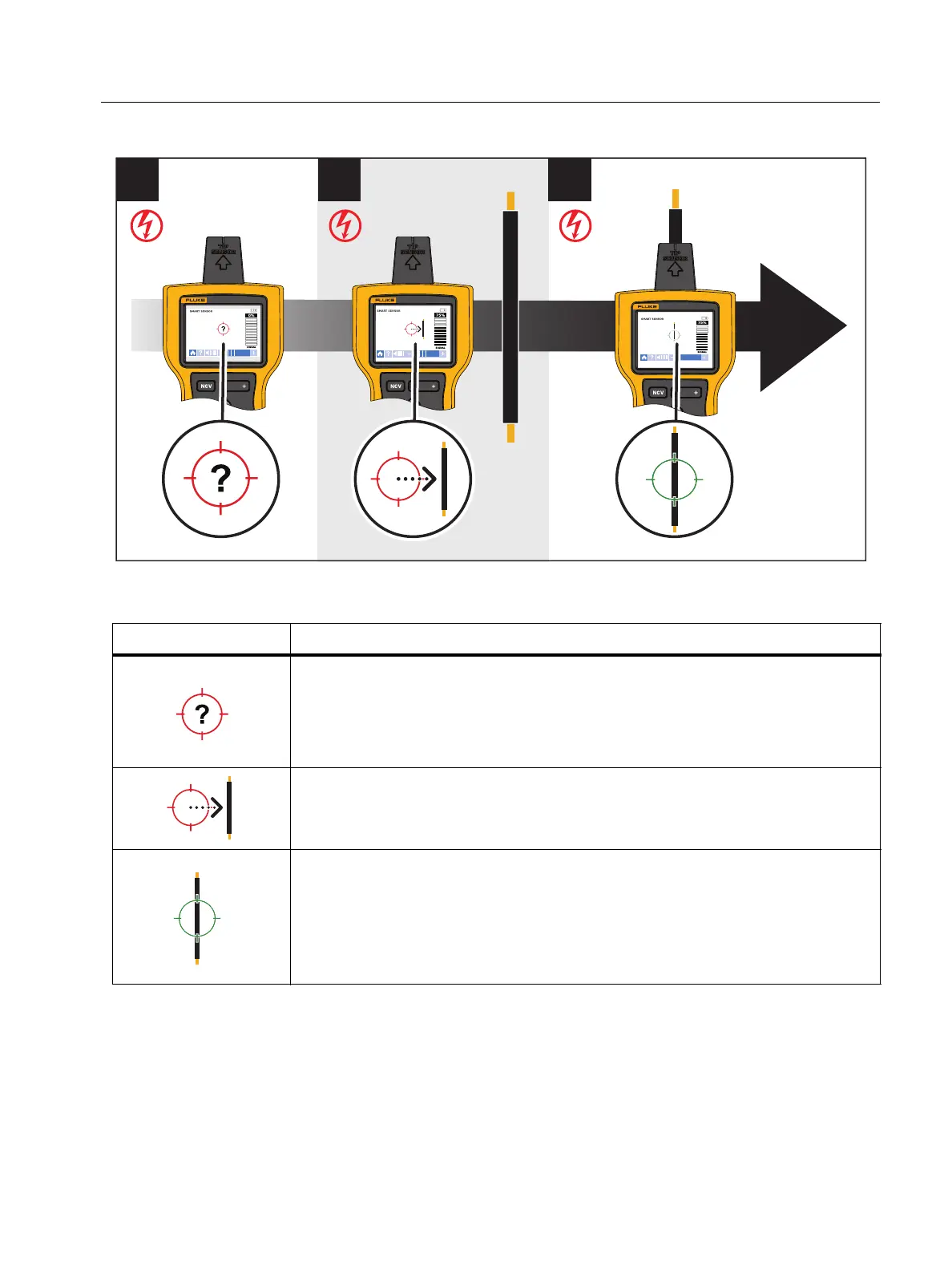
Figure 7. SMART SENSOR Mode
Table 9. SMART SENSOR Mode Display
Display Description and Action
The Receiver cannot detect a signal or the signal is not strong enough
for the Receiver to show where the wire is located.
Move the Receiver closer to the target area.
If a signal is still not detected, push
to increase the sensitivity.
Move the Receiver in the direction indicated by the arrow: horizontally,
vertically, or diagonally.
The Receiver is directly over the wire.
If the wire does not stay aligned with the green target, push
to
decrease the sensitivity.
If the wire still does not align with the target: On the Transmitter, push
A to generate a low signal to trace more precisely.


 To Next Page