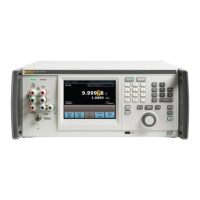
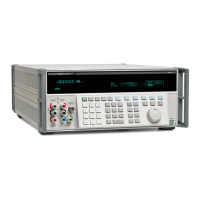
Figure 6. AC Voltage Test Configuration
TI
2.7
DIFF
VOLT
METER
2.8
AV SOURCE
SENS OUTPUT
4.6.2 Using each of the following equipment settings tabulated below, perform calibration as follows:
4.6.2.1 Establish a reference null on the differential voltmeter 0.1% null range by adjusting the differential
voltmeter dial(s).
4.6.2.2 Disconnect and replace the AV Source with the TI and without readjusting the differential voltmeter
dial(s), verify that the differential voltmeter indication is within the applicable tolerance limits listed.
Step AV Source TI Output Tolerance Limits
(Volts) (Freq) (Volts) (Freq) %
4.6.2.1 1.000000 400 Hz disconnected Reference null
4.6.2.2 disconnected 1V 400 Hz
0.058 or less
4.6.2.1 100.0000 400 Hz disconnected Reference null
4.6.2.2 disconnected 100V 400 Hz
0.068 or less
4.6.3 Set the equipment control(s) for minimum output, and disconnect the test configuration.
4.7 FREQUENCY TEST
4.7.1 Connect the TI output connector to the electronic counter (item 2.9) input connector.
4.7.2 Verify that each electronic frequency counter indication is within the tolerance limits listed for each of the
following TI output control(s) settings.
NAVAIR 17–20AQ–70
12



 To Next Page