CERTIFIBER ENGLISH - 47
When testing loss, use CERTIFIBER
to function as a Continuous
Wave (CW) light source.
When identifying fiber cables
with a tone locator, use the
2KHz modulated mode.
1. Attach the cable to CERTIFIBERs
TX1 connector.
2. Hold down the Shift key while pressing
Power Meter.
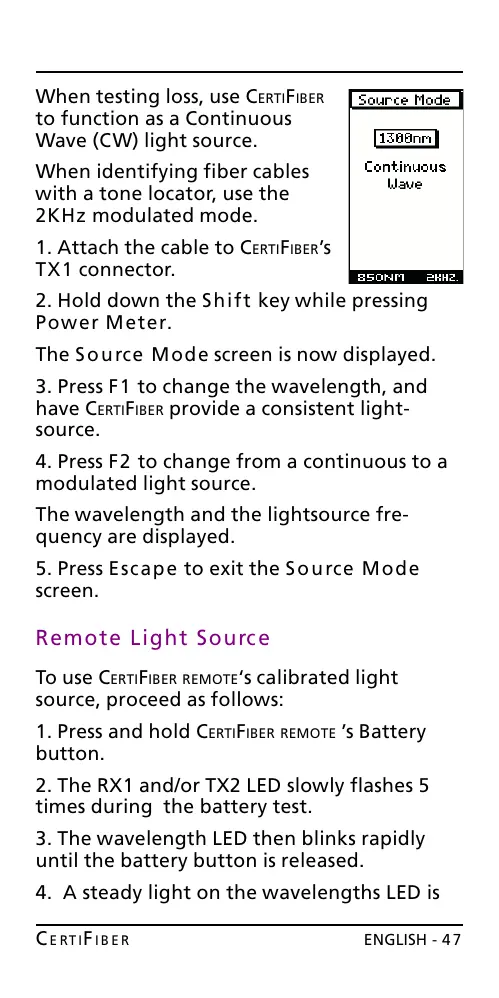
The Source Mode screen is now displayed.
3. Press F1 to change the wavelength, and
have CERTIFIBER provide a consistent light-
source.
4. Press F2 to change from a continuous to a
modulated light source.
The wavelength and the lightsource fre-
quency are displayed.
5. Press Escape to exit the Source Mode
screen.
Remote Light Source
To use CERTIFIBER REMOTEs calibrated light
source, proceed as follows:
1. Press and hold CERTIFIBER REMOTE s Battery
button.
2. The RX1 and/or TX2 LED slowly flashes 5
times during the battery test.
3. The wavelength LED then blinks rapidly
until the battery button is released.
4. A steady light on the wavelengths LED is
All manuals and user guides at all-guides.com










 To Next Page