EasyManua.ls Logo

Fluke PM2813 - Page 73

Fluke PM2813
115 pages
Print Icon
To Next Page IconTo Next Page
To Previous Page IconTo Previous Page
Loading...
Usin
g
your Pro
g
rammable Power Supply 5 - 21
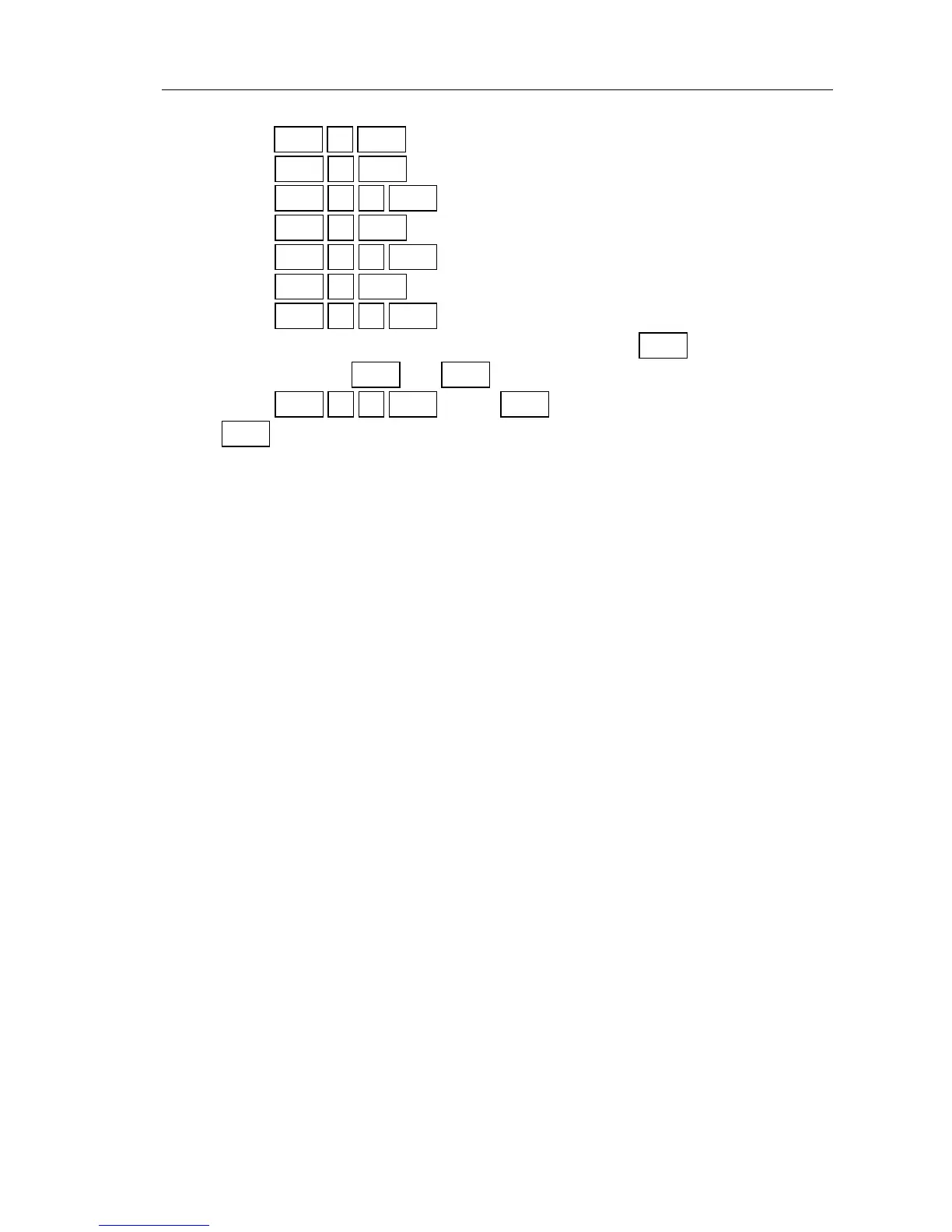
Press to set the actual volta
g
e at 4V.
Press to set the actual current at 1A.
Press to store the 4V and 1A at memory address 33.
Press to set the actual volta
g
e at 3V.
Press to store the 3V and 1A at memory address 34.
Press to set the actual volta
g
e at 2V.
Press to store the 2V and 1A at memory address 35.
Verify the pro
g
rammed memory addresses, usin
g
and the numeric
input keys plus and keys, e.
g
.:
Press . Press to verify the volta
g
e of 5V. Press
to verify the current of 0.3A.
Remote control (store/recall):
The recall memory volta
g
e can be pro
g
rammed usin
g
the
[:SOURce]:LIST:VOLTa
g
e command.
The recall memory current can be pro
g
rammed usin
g
the
[:SOURce]:LIST:CURRent command.
The actual memory address index (1 to 999) can be selected usin
g
the
[:SOURce]:LIST:INDex[:NSELect] command.
Example:
REQUIREMENTS : Fill the memory address 23 with 5V/0.3A and the
memory addresses 33, 34, and 35 with, respectively,
4V/1A, 3V/1A and 2V/1A for output channel 1.
SOLUTION:
Send :INST:STAT OFF STANDBY mode active.
Send :INST:NSEL 1 Output channel 1 selected.
Send :LIST:IND 23 Address 23 selected.
Send :LIST:VOLT 5
Send :LIST:CURR 0.3 5V/0.3A stored at address 23.
Send :LIST:IND 33 Address 33 selected.
Send :LIST:VOLT 4,3,2 4V, 3V, and 2V, stored at respectively, the
addresses 33, 34, and 35.
Send :LIST:CURR 1,1,1 1A stored at the addresses 33, 34, and 35.

V
4
ENTER
I
1
ENTER
STORE
3
3
ENTER
V
3
ENTER
STORE
3
4
ENTER
V
2
ENTER
STORE
3
5
ENTER
RECALL
V
I
RECALL
2
3
ENTER
V
I

Table of Contents

Related product manuals