PM
9690
or
PM
9691
Oven
Return used
batteries to your supplier or to
your local Fluke or-
ganization.
Oscillator
-
Disconnect the power cable.
-
Remove the cover of
the counter.
-
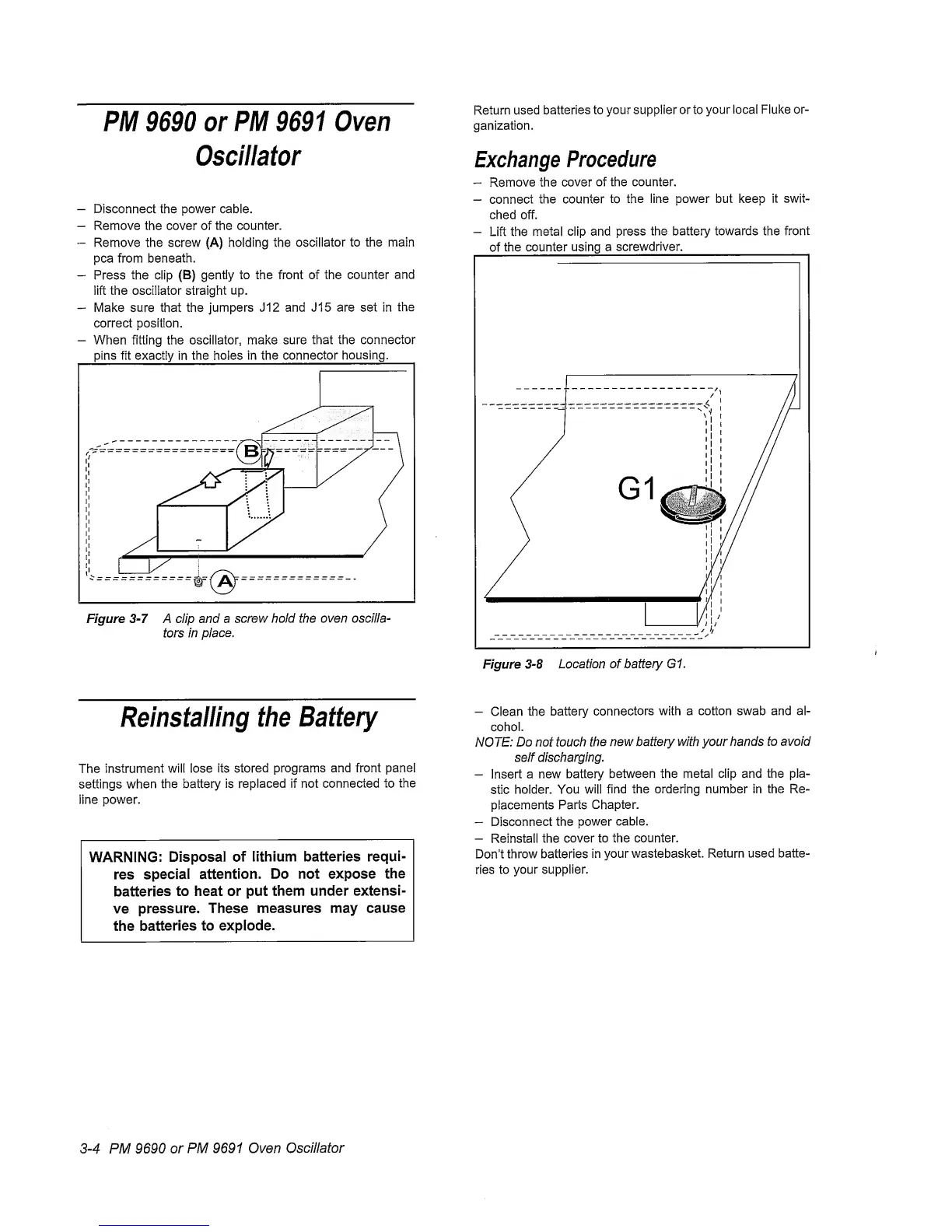
Remove the screw (A) holding the
oscillator
to the main
pea from beneath.
-
Press the clip
(B)
gently
to the front of the counter
and
lift the oscillator straight up.
-
Make sure
that
the
jumpers J12 and J15 are set in
the
correct position.
-
When fitting the oscillator, make sure
that the connector
pins
fit
exactly
in
the holes in the connector
housing.
Figure
3-7
A clip and a
screw hold the
oven
oscilla-
tors In
place.
Exchange
Procedure
-
Remove
the
cover
of the counter.
-
connect
the counter
to
the line power but keep
it
swit-
ched off.
-
Lift the
metal clip and press
the
battery towards the
front
of
the counter using
a screwdriver.
Reinstalling
the
Battery
The
instrument
will lose its
stored
programs and front
panel
settings when
the battery is
replaced if not connected to
the
line power.
WARNING;
Disposal of
lithium batteries requi-
res
special
attention.
Do not expose
the
batteries
to heat or put
them under
extensi-
ve
pressure. These
measures may cause
the
batteries to explode.
-
Clean the
battery
connectors
with a cotton swab and al-
cohol.
NOTE:
Do not touch
the
new battery with your hands
to
avoid
self
discharging.
-
Insert
a new battery
between the metal clip and the pla-
stic
holder. You will
find the ordering number in
the Re-
placements Parts
Chapter.
“
Disconnect
the
power
cable.
-
Reinstall the
cover to the
counter.
Don’t
throw batteries
in
your
wastebasket. Return
used batte-
ries
to
your supplier.
3-4
PM
9690 or
PM 9691 Oven
Oscillator



 To Next Page