Connect With Computer
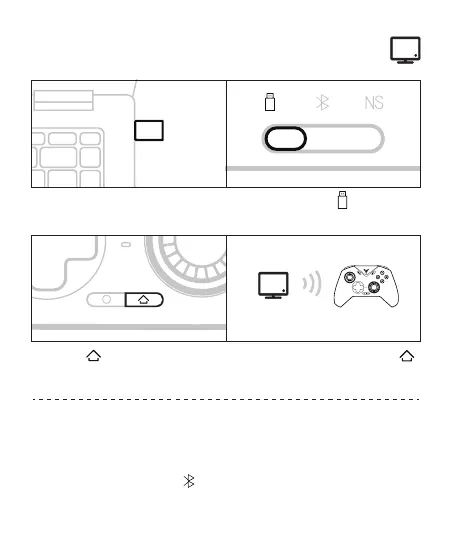
Wireless dongle connection
1 Plug the dongle into the computer's
USB port
2 Dial the back gear to
3 press the button, the controller
will be connected automatically, and
the first indicator light keep in white
4 The next time you use it, press the
button once, and the controller will be
connected automatically
Connect the computer and the controller through the USB cable, and the
indicator light keep in white, the connection is successful
Wired connection
Turn the back mode gear to and connect the Xbox Wireless Controller
to your computer's BT Setting
BT connection



 To Next Page