Connect to Switch
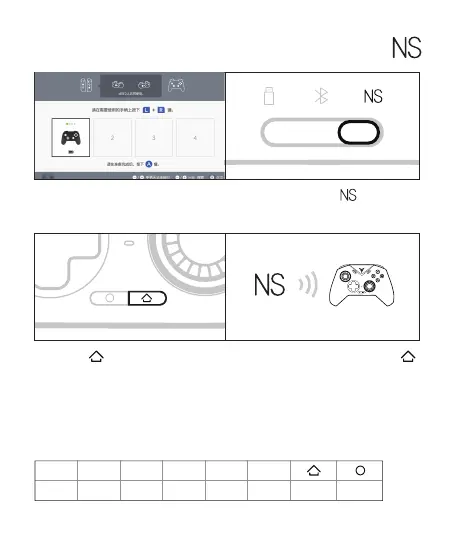
1 Click the controller icon on the Switch
homepage to enter [Change grip/order]
2 Shift the back gear to
3 Press the button, the controller
will be connected automatically, and
the first indicator light keep in blue
4 The next time you use it, press the
button once and the controller will
automatically connect
In Switch mode, the key and key-value mapping
relationship is as follows
A
B
B
A
X
Y
Y
X
SELECT
-
START
+
home page Screenshot
Switch



 To Next Page