EasyManua.ls Logo

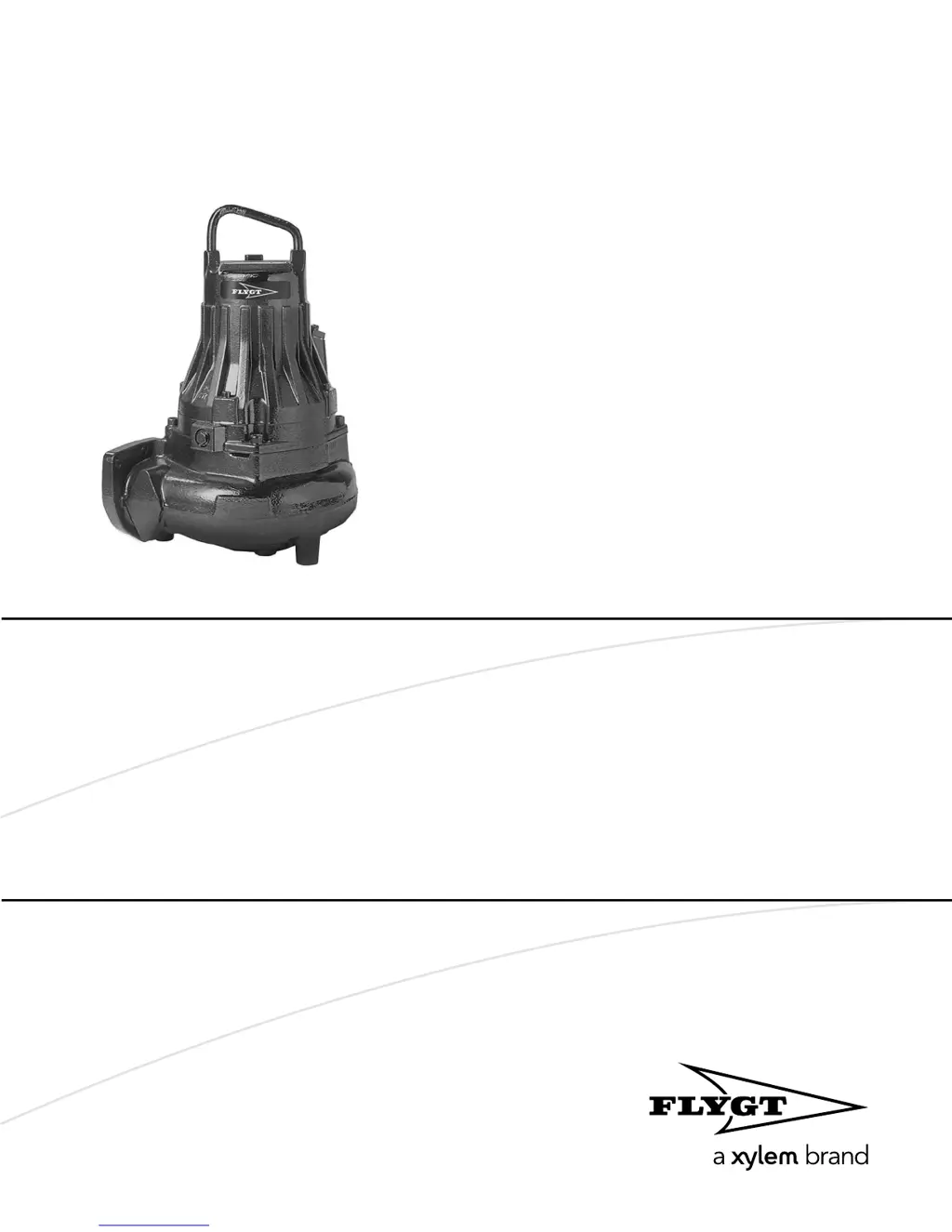
FLYGT 3085 - User Manual

FLYGT 3085
72 pages
Print Icon
To Next Page IconTo Next Page
Loading...
Installation, Operation,
and Maintenance Manual
Flygt 3085

Table of Contents

Questions and Answers

  • L
    lisa10Aug 3, 2025
    What to do if the FLYGT 3085 Water Pump motor protection trips?
    • K
      Kelly MorrisAug 3, 2025
      If the motor protection trips, it could be due to several reasons. First, ensure the motor protection is set correctly according to the data plate and cable chart. If the impeller is hard to rotate, clean the impeller and the sump, and check the impeller trimming. Also, verify that the drive unit receives full voltage on all three phases by checking and replacing any tripped fuses. If issues persist or phase currents vary, consult a certified electrician or your local sales and service representative. Replacing the overload protection may also resolve the issue.
  • E
    Erin MartinAug 8, 2025
    How to troubleshoot a FLYGT 3085 Water Pump that does not start?
    • D
      danielspatriciaAug 9, 2025
      If the pump doesn't start, first check if an alarm signal has been triggered on the control panel. Ensure the impeller rotates freely, the sensor indicators aren't showing an alarm, and the overload protection hasn't tripped. If the pump starts manually but not automatically, examine the start level regulator for proper function (clean or replace if needed), check all connections, relay and contactor coils, and verify the control switch (Man/Auto) makes contact in both positions. Inspect the control circuit and its functions as well.
  • J
    johnsonchadAug 15, 2025
    Why is my FLYGT 3085 Water Pump delivering too little or no water?
    • J
      James AdamsAug 15, 2025
      If your pump delivers too little or no water, several factors could be responsible. Check if the impeller rotates in the correct direction; for a 3-phase pump, transpose two phase leads. Ensure the valves are correctly positioned, resetting or replacing them if necessary, and verify correct installation according to media flow and proper opening. Clear any obstructions in the pipes and seal any leaks in pipes and joints. Also, clean the impeller and the sump if the impeller is difficult to rotate. Replace worn parts on the impeller, pump, and casing. Finally, check the liquid level and level sensor settings, adding a priming means like a foot valve if needed.
  • K
    kristenhamiltonAug 20, 2025
    What to do if FLYGT 3085 doesn't stop with level sensor?
    • B
      benjamingillAug 21, 2025
      If the pump doesn't stop when a level sensor is used, it could be because the pump can't empty the sump to the stop level. Check for leaks in the piping or discharge connection, ensure the impeller isn't clogged, and verify the non-return valves function correctly. Also, make sure the pump has adequate capacity. Additionally, there may be a malfunction in the level-sensing equipment. Clean the level regulators, check their function, and inspect the contactor and control circuit, replacing any defective items. Lastly, ensure the stop level isn't set too low and raise it if needed.
  • P
    phillipsmarissaAug 27, 2025
    Why does my FLYGT 3085 start and stop rapidly?
    • M
      Melissa JohnsonAug 27, 2025
      The pump might be starting and stopping rapidly because back-flow refills the sump to the start level. Verify that the distance between the start and stop levels is sufficient, the non-return valves are working properly, and the discharge pipe between the pump and the first non-return valve is sufficiently short.

Summary

Introduction and Safety

1.1 Introduction

Manual purpose, reading instructions, intended use, and reference to other manuals.

1.2 Safety terminology and symbols

Explains safety messages, hazard levels, and symbols for safe product handling.

1.3 User safety

Site safety, personnel qualifications, and required protective equipment for operation.

1.4 Ex-approved products

Personnel and product handling requirements for equipment in explosive atmospheres.

1.5 Special hazards

Addresses biological hazards and provides first aid for contact with hazardous fluids.

1.6 Protecting the environment

Discusses environmental protection, emissions, and waste disposal regulations.

1.7 Spare parts

Advises on using only manufacturer's original spare parts for maintenance.

Transportation and Storage

2.1 Inspect the delivery

Instructions for inspecting the package and unit upon delivery for damage or missing parts.

2.2 Transportation guidelines

Guidelines for safe transportation, including precautions, positioning, fastening, and lifting.

2.3 Temperature ranges for transportation, handling and storage

Specifies acceptable temperature ranges for transportation, handling, and storage of the unit.

2.4 Storage guidelines

Provides guidelines for storing the unit, including location, long-term storage, and stacking.

Product Description

3.1 Pump design

Describes the pump's design, components, intended use, and hazards.

3.2 Monitoring equipment

Details the pump's monitoring equipment and optional sensors like FLS and CLS.

3.3 The data plate

Explains the data plate listing key product specifications.

3.4 Approvals

Lists product approvals for hazardous locations and describes approval plates.

3.5 Product denomination

Explains how to read the product denomination codes and parameters.

Installation

4.1 Install the pump

General requirements and safety precautions before installing the pump.

4.1.1 P-installation

Instructions for installing the pump using the P-installation method.

4.1.2 S-installation

Instructions for installing the pump using the S-installation method.

4.1.3 T;Z-installation

Instructions for T- and Z-installations, including required items.

4.1.4 F-installation

Instructions for installing the pump using the F-installation method.

4.1.5 H-installation

Instructions for installing the pump using the H-installation method.

4.1.6 X-installation

Description of X-installation where the pump flange is drilled.

4.2 Make the electrical connections

General safety precautions for making electrical connections.

4.2.1 Prepare SUBCAB Cables

Instructions for preparing SUBCAB cables, including diagrams.

4.2.2 Connect Motor Cable to Pump

Procedures for connecting the motor cable to the pump unit.

4.2.3 Connect Motor Cable to Starter

Instructions for connecting the motor cable to starter and monitoring equipment.

4.2.4 Cable Charts and Sensors

General connection info, cable charts, and sensor connections.

4.3 T-installation: Bleed Air before starting pump

Instructions for bleeding air from the pump before starting in T-installation.

4.4 Check the impeller rotation

Procedures to check and correct the direction of impeller rotation.

Operation

5.1 Estimate zinc anode replacement intervals

How to estimate zinc anode replacement intervals based on consumption.

5.2 Start the pump

Steps for starting the pump, including safety checks and insulation testing.

Maintenance

6.1 Torque values

Information on torque values for screws and nuts.

6.2 Change the oil

Steps for draining and refilling the pump with oil.

6.3 Service the pump

Outlines initial, periodical inspection, and major overhaul service intervals.

6.4 Replace the impeller

Required tools and general information for impeller replacement.

6.4.1 C-, D-, or L-Impeller Replacement

Instructions for removing and installing C, D, or L type impellers.

6.4.2 F-Impeller Replacement

Instructions for removing and installing F type impellers.

6.4.3 M-Impeller Replacement

Instructions for removing and installing M type impellers.

6.4.4 Adaptive N-Impeller Replacement

Instructions for removing and installing Adaptive N impellers.

Troubleshooting

7.1 The pump does not start

Identifies causes and remedies when the pump fails to start.

7.2 The pump does not stop when a level sensor is used

Addresses issues where the pump fails to stop based on level sensor input.

7.3 The pump starts-stops-starts in rapid sequence

Explains causes and remedies for rapid start-stop cycling of the pump.

7.4 The pump runs but the motor protection trips

Troubleshooting motor protection trips while the pump is running.

7.5 The pump delivers too little or no water

Diagnoses and resolves issues with low or no water delivery from the pump.

Technical Reference

8.1 Motor data

Provides detailed technical data for the pump's motor.

FLYGT 3085 Specifications

General IconGeneral
Model3085
CategoryWater Pump
TypeSubmersible Pump
Motor ProtectionIP68
Frequency50 Hz
Max Flow15 m³/h
Impeller TypeVortex
Liquid TemperatureMax 40°C

Related product manuals