27
3
、
Leveling printer(very very important!!)
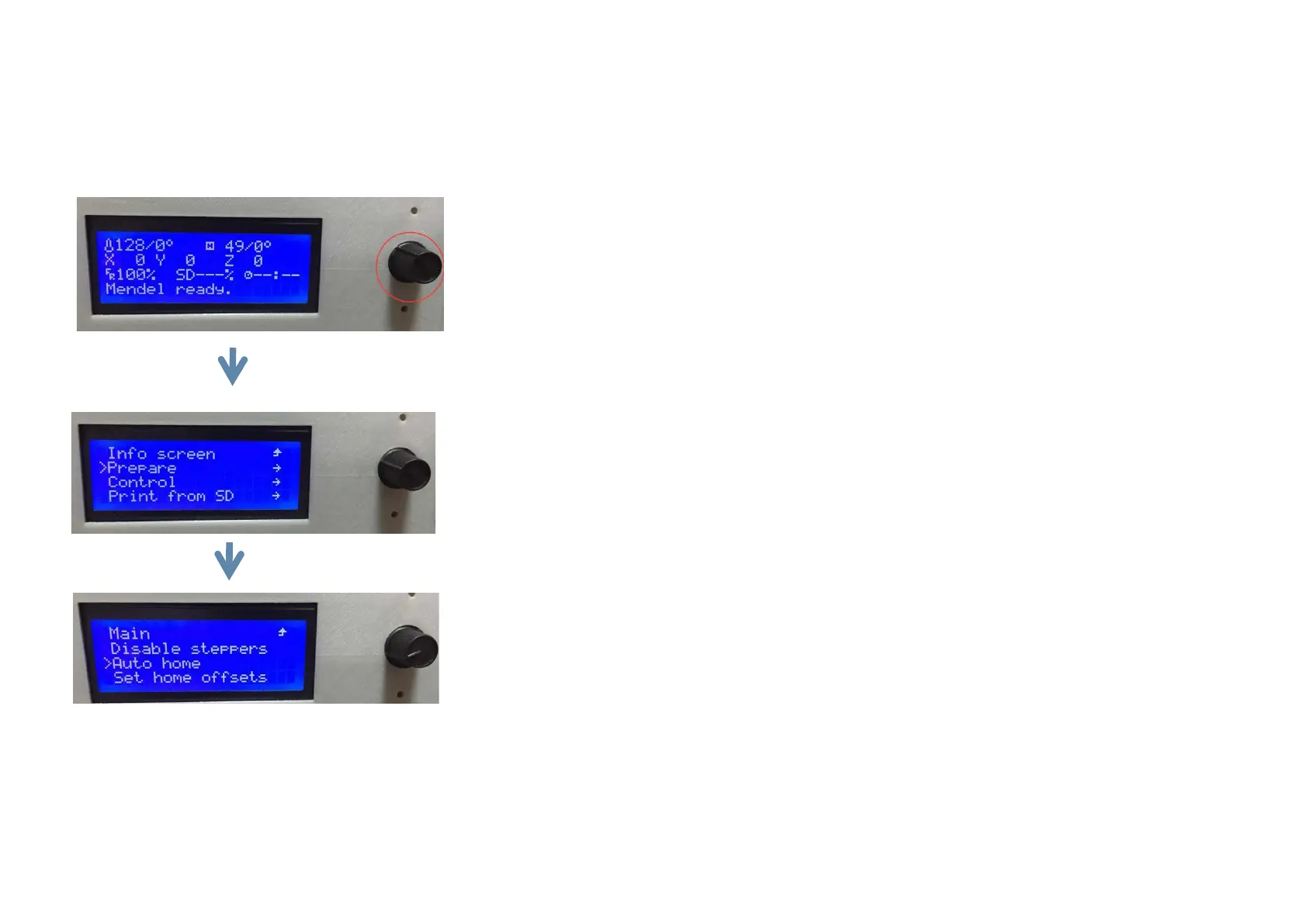
Step 1:control the printer’s x/y/z axis back to home by LCD
black knob
:
press to determined ,turn left or right is to choose.
Press the knob and choose
“
Prepare
”
.
Press the knob and choose
“
Auto home
”
to make X/Y/Z axis go back to home.


 To Next Page