28
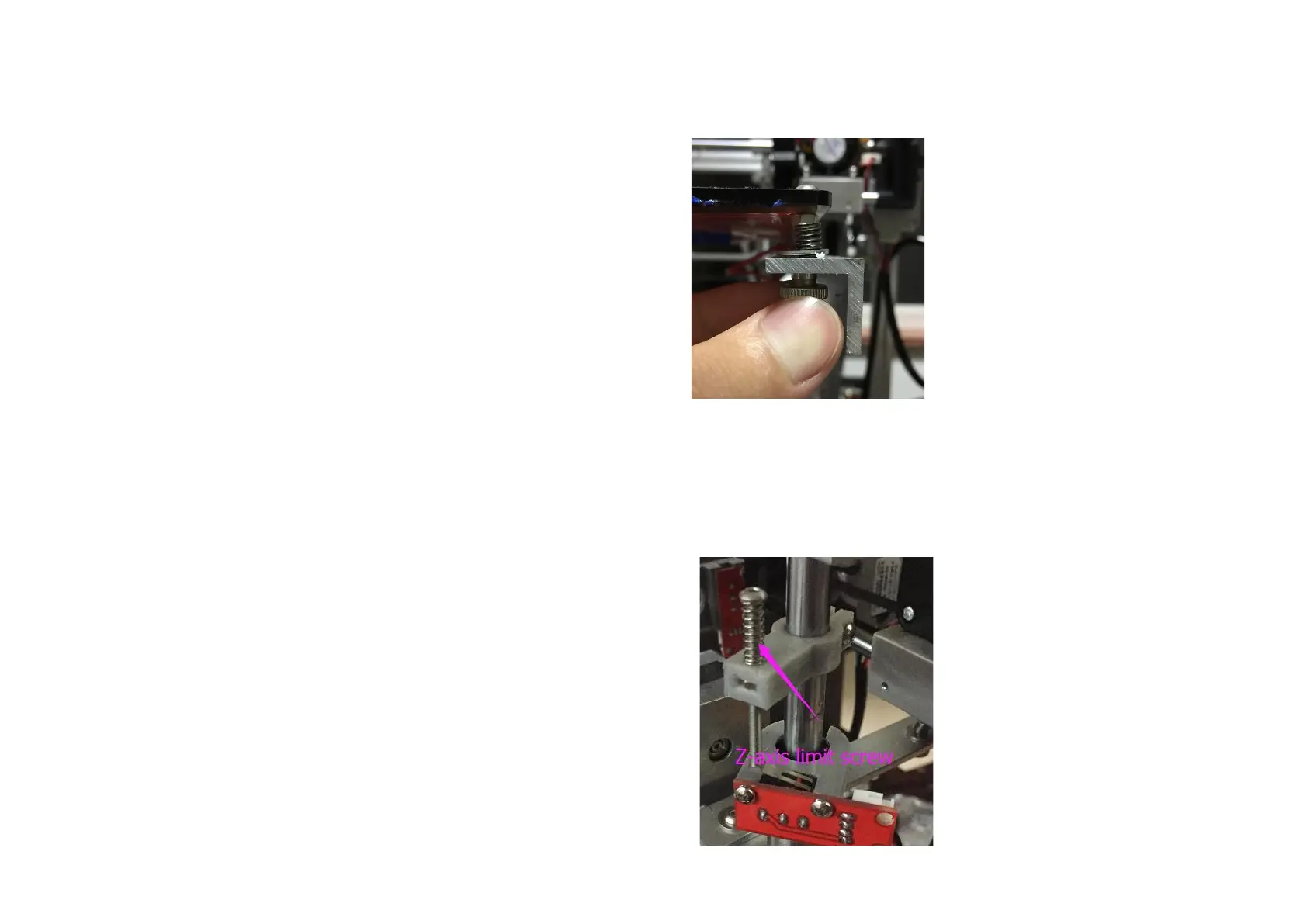
Step 2:Squeeze each corner of the printing bed, and tighten each wing nut to reduce the distance
between hot bed to a minimum.
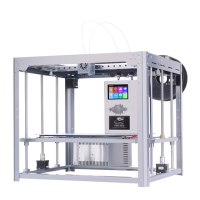
Step 2:Repeat the first step, and then check the distance between the nozzle and the hot bed,if the distance is
too large ,adjust the limit screw of Z-axis to make the distance less than 1mm.


 To Next Page