7 Flying a FAI Triangle
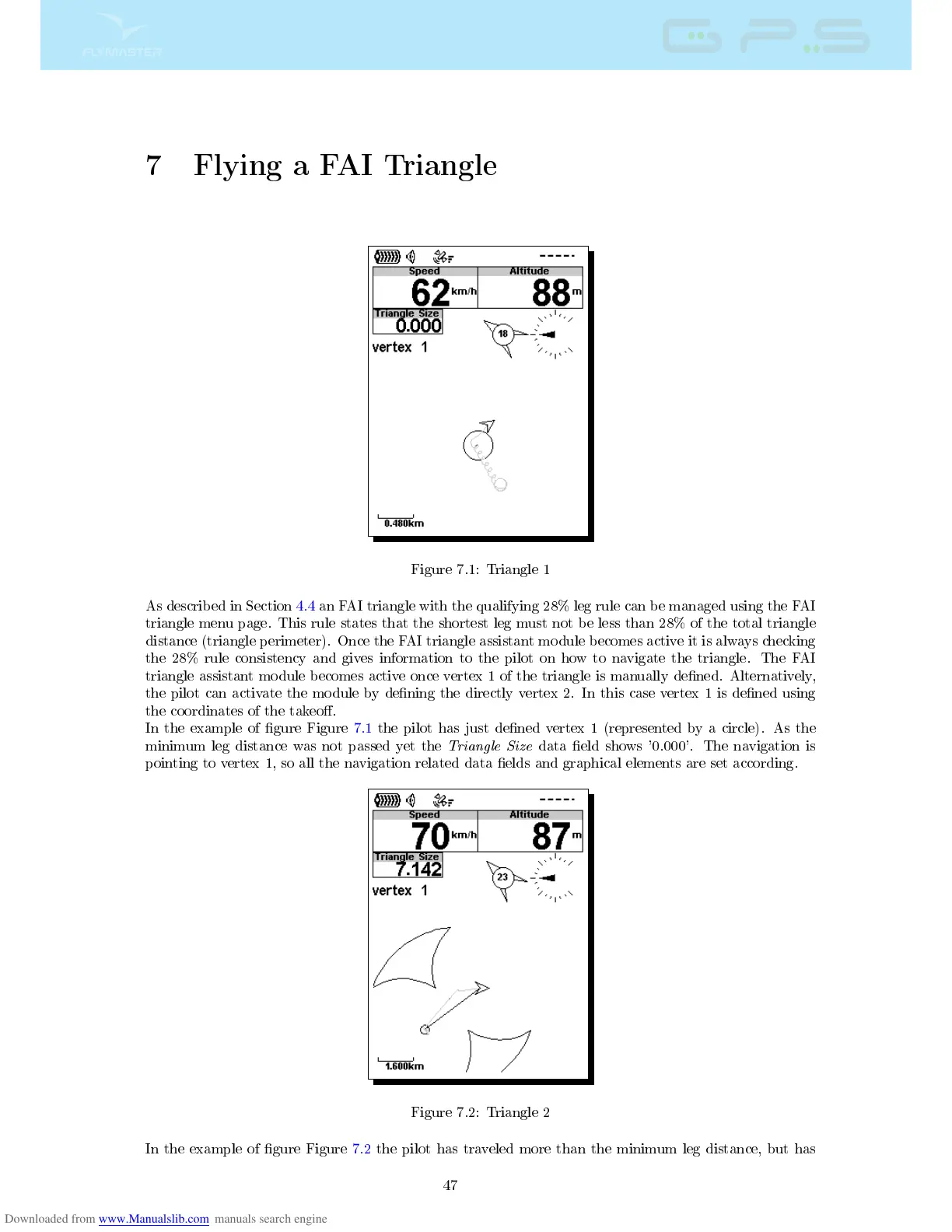
Figure 7.1: Triangle 1
As described in Section 4.4 an FAI triangle with the qualifying 28% leg rule can be managed using the FAI
triangle menu page. This rule states that the shortest leg must not be less than 28% of the total triangle
distance (triangle perimeter). Once the FAI triangle assistant module becomes active it is always checking
the 28% rule consistency and gives information to the pilot on how to navigate the triangle. The FAI
triangle assistant module becomes active once vertex 1 of the triangle is manually dened. Alternatively,
the pilot can activate the module by dening the directly vertex 2. In this case vertex 1 is dened using
the coordinates of the takeo.
In the example of gure Figure 7.1 the pilot has just dened vertex 1 (represented by a circle). As the
minimum leg distance was not passed yet the
Triangle Size
data eld shows '0.000'. The navigation is
pointing to vertex 1, so all the navigation related data elds and graphical elements are set according.
Figure 7.2: Triangle 2
In the example of gure Figure 7.2 the pilot has traveled more than the minimum leg distance, but has
47



 To Next Page