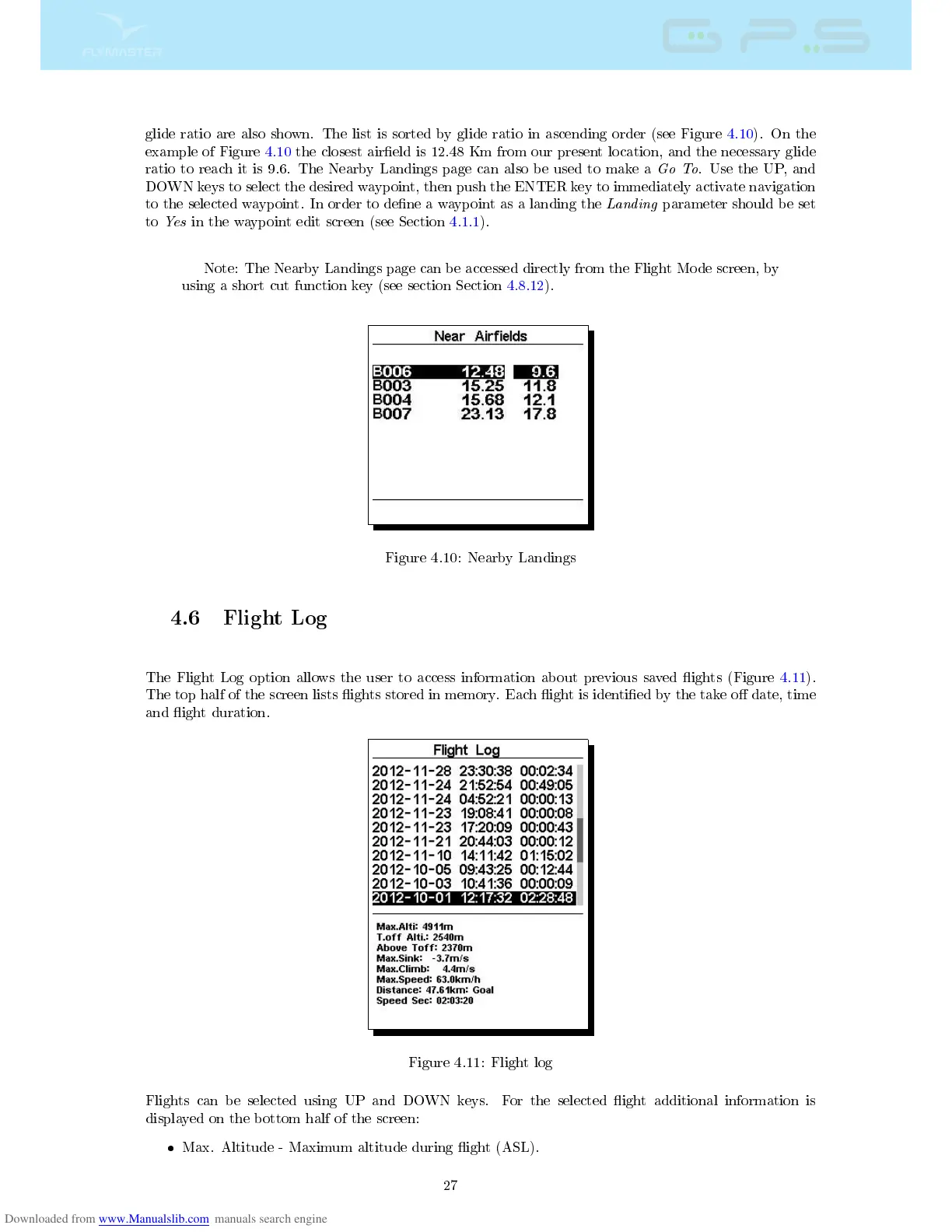
glide ratio are also shown. The list is sorted by glide ratio in ascending order (see Figure 4.10). On the
example of Figure 4.10 the closest aireld is 12.48 Km from our present location, and the necessary glide
ratio to reach it is 9.6. The Nearby Landings page can also be used to make a
Go To
. Use the UP, and
DOWN keys to select the desired waypoint, then push the ENTER key to immediately activate navigation
to the selected waypoint. In order to dene a waypoint as a landing the
Landing
parameter should be set
to
Yes
in the waypoint edit screen (see Section 4.1.1).
Note: The Nearby Landings page can be accessed directly from the Flight Mode screen, by
using a short cut function key (see section Section 4.8.12).
Figure 4.10: Nearby Landings
4.6 Flight Log
The Flight Log option allows the user to access information about previous saved ights (Figure 4.11).
The top half of the screen lists ights stored in memory. Each ight is identied by the take o date, time
and ight duration.
Figure 4.11: Flight log
Flights can be selected using UP and DOWN keys. For the selected ight additional information is
displayed on the bottom half of the screen:
Max. Altitude - Maximum altitude during ight (ASL).
27



 To Next Page