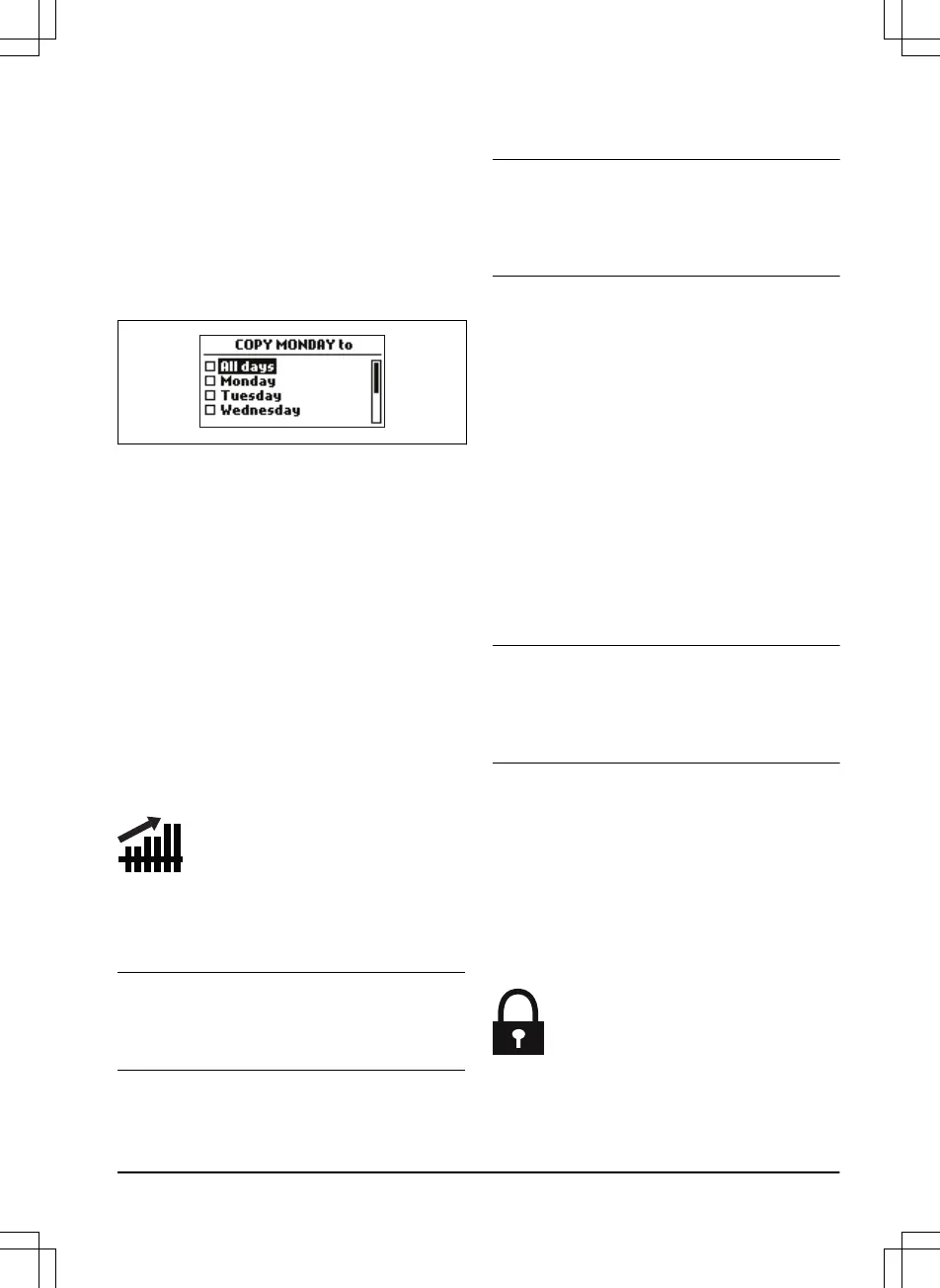
3.10.3.4 To copy the schedule setting
1. Do steps 1–3 in
To get access to the menu
on page 23
.
2. Use the arrow buttons and the OK button to
move through the menu structure
Schedule
> Advanced > Overview > Copy
.
3. Use the arrow buttons and the OK button to
copy the schedule setting. You can copy the
schedule settings day to day or for the full
week.
3.10.3.5 To reset the schedule setting
You can remove all schedule settings and use
the factory setting.
1. Do steps 1–3 in
To get access to the menu
on page 23
.
2. Use the arrow buttons and the OK button to
move through the menu structure
Schedule
> Advanced > Overview > Reset
.
a) Push the arrow buttons to select
Current day
to only reset the current
day to factory settings.
b) Push the arrow buttons to select
All
week
to reset all schedule settings to
factory settings.
3. Push the OK button.
3.10.4 LawnSense
The
LawnSense
automatically adjust the cutting
time to the growth of the grass. The product is
not permitted to operate more than the schedule
settings.
Note:
When using
LawnSense
, it is
recommended to make as much operating time
as possible available for the
LawnSense
. Do not
restrict the schedule more than necessary.
The first operation of the day is set by the
schedule settings. The product always complete
1 mowing cycle, and then the
LawnSense
selects
if the product will continue to operate or not.
Note: The
LawnSense
is reset if the product does
not operate for more than 50 hours, or if a
Reset
of all user settings
is done. The
LawnSense
is
not changed if a
Reset of schedule settings
is
done.
3.10.4.1 To set the LawnSense
1. Do steps 1–3 in
To get access to the menu
on page 23
.
2. Use the arrow buttons and the OK button to
move through the menu structure
LawnSense > Use LawnSense
.
3. Push the OK button to select the
LawnSense
.
4. Push the BACK button.
3.10.4.2 To set the LawnSense frequency
Set how frequently the product cuts the grass
when the
LawnSense
is in use. There are 3
frequency levels:
Low, Mid
and
High
. The higher
the frequency, the more sensitive the product is
to the grass growth. That is, if the grass growth is
high then the product is allowed to work longer.
Note: If the mowing results are not optimal when
using
LawnSense
, the schedule settings may
need adjusting. Do not restrict the schedule more
than necessary. Also, check that the blade disc is
clean and that the blades are in good condition.
1. Do steps 1–3 in
To get access to the menu
on page 23
.
2. Use the arrow buttons and the OK button to
move through the menu structure
LawnSense > Cutting time
.
3. Use the arrow buttons to select
Low, Mid
or
High
frequency.
4. Push the BACK button.
3.10.5 Security level
1392 - 001 -
Installation - 25









 To Next Page