3.4 Binding
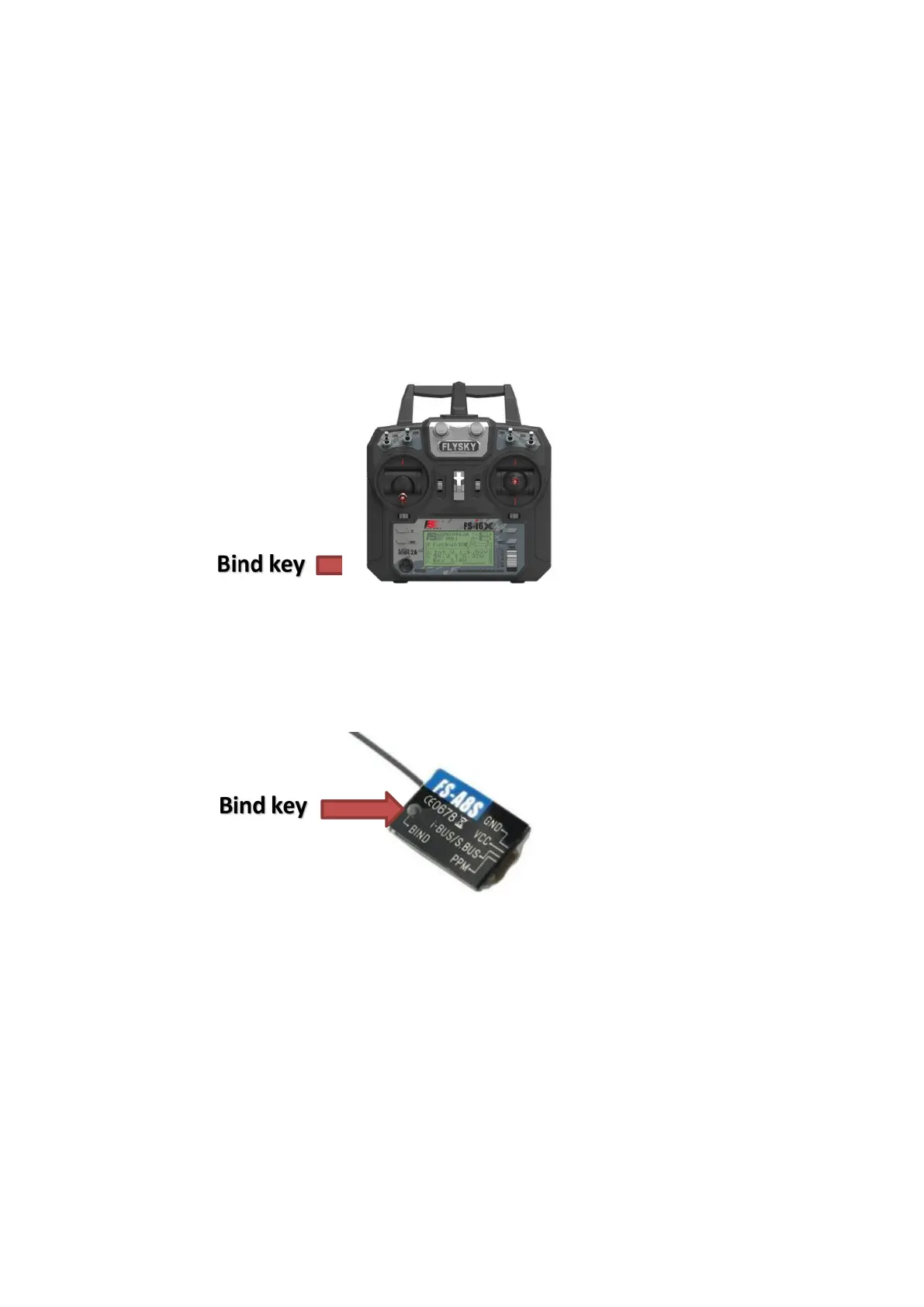
This kit has completed the frequency matching between the transmitter
and the receiver. If you want to use another receiver or repeat bind, please
follow the following steps:
1. Turn on the transmitter power and press the bind key to enter the
code matching state.
2. Press and hold the bind key on the receiver, and connect the power to
the receiver. The flash of the indicator light on the receiver indicates that the
receiver enters the code matching state; After successful bind, the status
indicator of the receiver changes from fast flashing to slow flashing.
3. Exit the transmitter from the binding interface manually, and the status
indicator of the receiver will be on.
4. Check whether the transmitter, receiver and model work normally. If
there is any abnormality, repeat the above steps to re code.
3.5 Pre flight inspection
Make sure that all components are included and not damaged, and the
battery is installed firmly。


 To Next Page