7
Final Assembly
❏
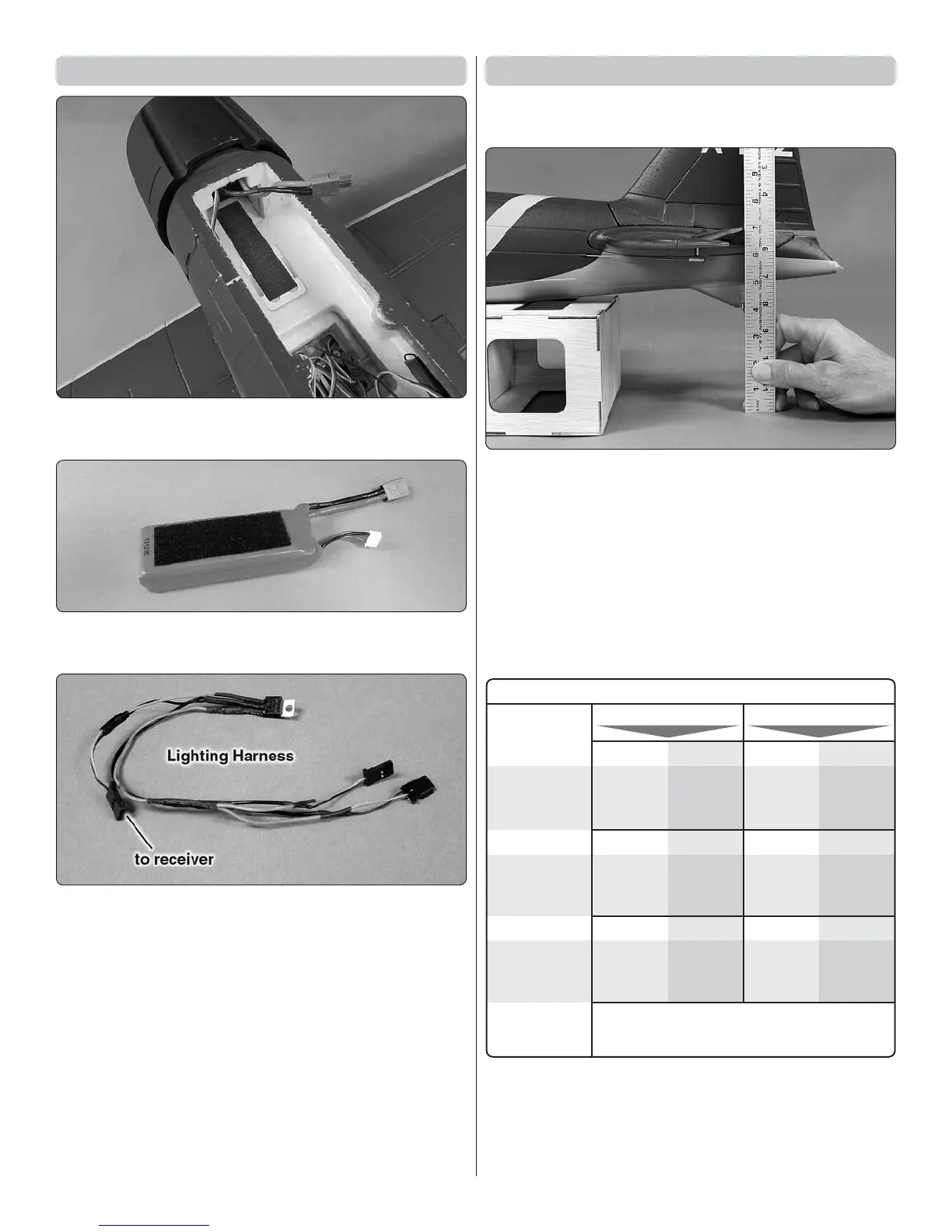
1. Attach the rougher, hook side of the included hook &
loop material to the fuselage fl oor where shown for the battery.
❏
2. Attach the softer, loop side of the included hook & loop
to the battery.
❏
3. Connect the aileron, retract, fl ap and bomb release (if
used) servo wires to the receiver. Connect the lighting harness
to an available channel in the receiver – in the TR624 receiver
included, the vacant channel labeled “BAT” may be used.
❏
4. Connect the lighting wire in the wing and the lighting
wire in the fuselage to the lighting harness.
❏
5. All the controls should now be connected to the receiver.
Power up the radio (still without the propeller mounted!) so
you can operate the controls. Same as was done for the
fl aps and ailerons on the wing, make certain the rudder and
elevator are centered, adjust the pushrods in the screw-lock
connectors if needed, and then make sure the screws in the
screw-lock connectors on the servo arms are tight and secure.
Check /Set the Control Throws
❏
1. Use a small box or similar to raise the fuselage so the
horizontal stabilizer will be level or near level.
❏
2. Measure and if necessary, use the programming in your
transmitter or adjust the throws mechanically to achieve the
throws specifi ed in the following chart. If assembling the RTF
edition of the Flyzone Zero, the linkages are factory-connected
and the transmitter has no servo travel adjustments, so as
long as the throws are within 1/16" [1 – 2 mm] of the specifi ed
throws this will be acceptable.
NOTE: The control throws are measured at the widest part of
each surface – at the root ends of the elevators and ailerons
and at the bottom of the rudder.
DownUp Up Down
3/8
"
[10mm] 15°
FLAPS
1/2 Flap
7/8
"
[ 22mm] 35°
Full Flap
These are the recommended control surface throws:
1/4"
[6mm]
9°
1/2"
[13mm]
10°
3/8"
[10 mm]
12°
3/8"
[10mm]
14°
3/4"
[19mm]
15°
1/2"
[13 mm]
15°
1/4"
[6mm]
9°
1/2"
[13mm]
10°
3/8"
[10 mm]
12°
3/8"
[10mm]
14°
3/4"
[19mm]
15°
1/2"
[13 mm]
15°
AILERON
ELEVATOR
LOW RATE HIGH RATE
RUDDER
DownUp Up Down
RightLeft RightLeft




 To Next Page