22 | P a g e
5.5 Release and install sensor
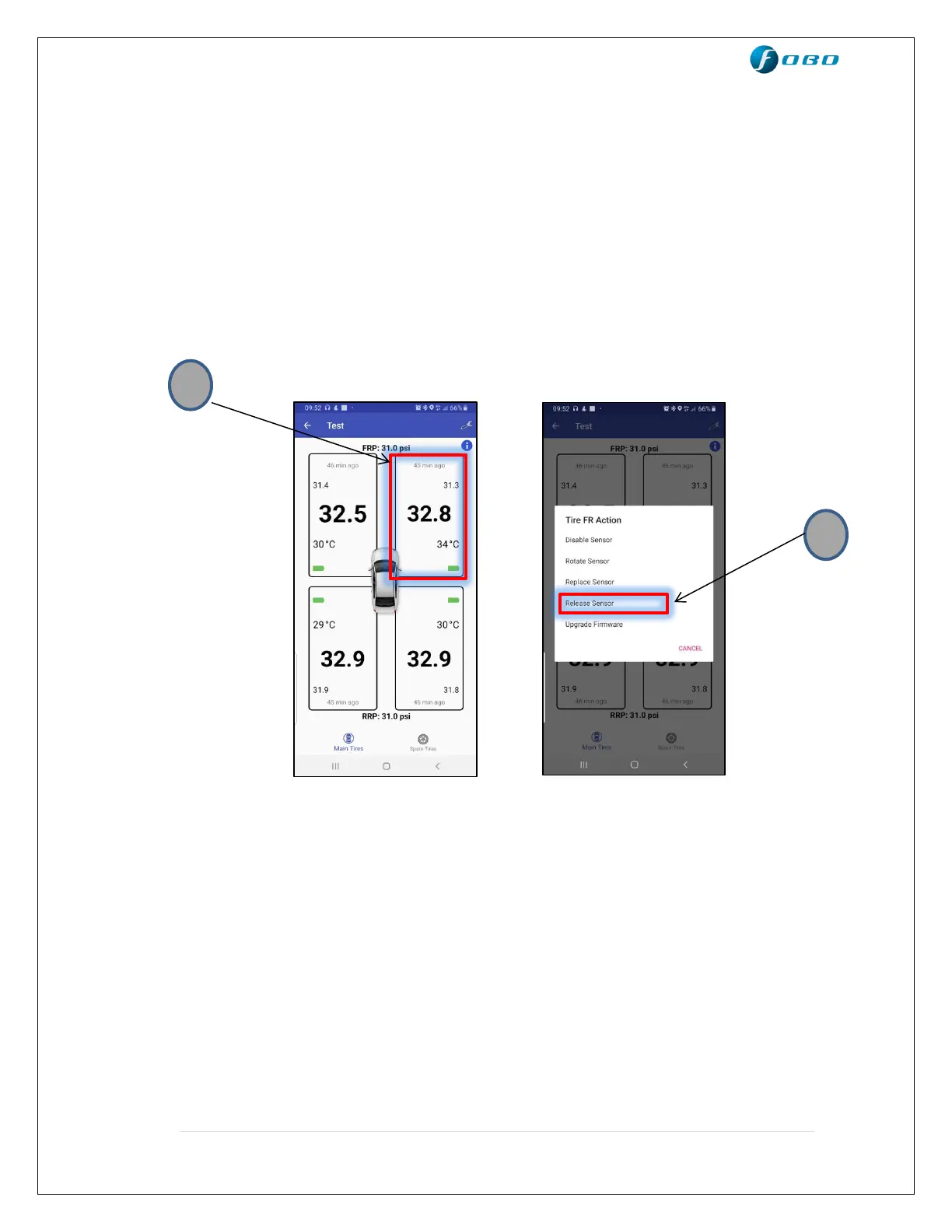
To release a sensor:
1. Tap and hold on the box corresponding to the tire position you want to
release (Front right in the image below).
2. Click on “Release sensor” option in the pop-up list and click proceed.
3. You will see “Not Installed” inside the box corresponding to the
released tire position.
To install a sensor:
1. Tap and hold on the box corresponding to the tire position you want to
install (Front right in the image below). This would be the box with the
text “Not Installed”.
2. Click on “Install sensor” option in the pop-up list, follow the instructions
on screen and click proceed.
3. You will see pressure readings inside the box corresponding to the
Installed tire position.


 To Next Page