9 | P a g e
you while driving or if your smartphone’s battery is dead. When there is a tire
pressure alert, the In-Car unit will produce an audible and visual LED alerts to inform
you of a tire pressure problem. To silence the repetitive audio alerts, just quick press
the side button once. To check back the position of the problematic tire, a quick press
on the side button once more and the LED of the problematic tire position will light
up.
The In-Car unit will emit a start-up tone every time it wakes up upon detecting the
car’s movement. This tone is also to inform you or the driver that the In-Car unit is
operational. In case you do not hear this tone when start moving the car, please check
the state of the In-Car unit by a quick press on the side button once. If you hear a long
single tone that means the In-Car is still in sleep mode. You can change the detection
sensitivity in the FOBO Tire 2 App by going to; click on car profile > on the car status
page click on settings icon at top right corner > in-car unit sensitivity to adjust the In-
Car unit sensitivity. In some electric cars, the In-Car unit may require higher
sensitivity to detect the car moving. By default it sets to Normal.
NOTE: Unnecessarily waking up the In-Car unit will drain battery.
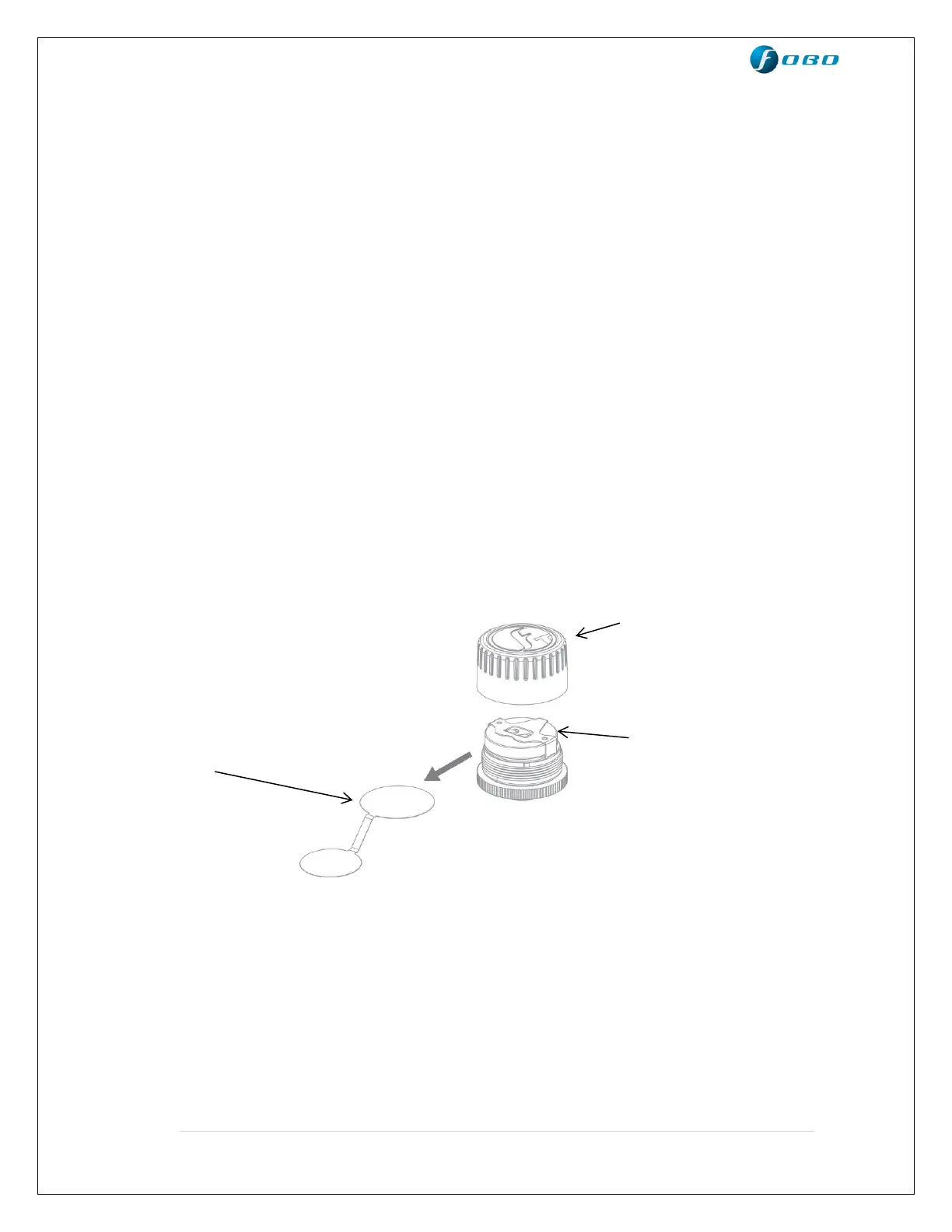
Tire Sensor Unit
Knob cover – waterproof cover. Please ensure the red silicon ring
is intact to prevent water from getting into electronics
compartment.
Single internal battery - CR1632 coin cell battery. When replacing battery,
please ensure the “+” sign of the battery is facing up,
away from PCB.
Internal PCB - Internal electronics circuit (The pressure sensor chip
is mounted within this PCBA, and it senses the tire


 To Next Page