13
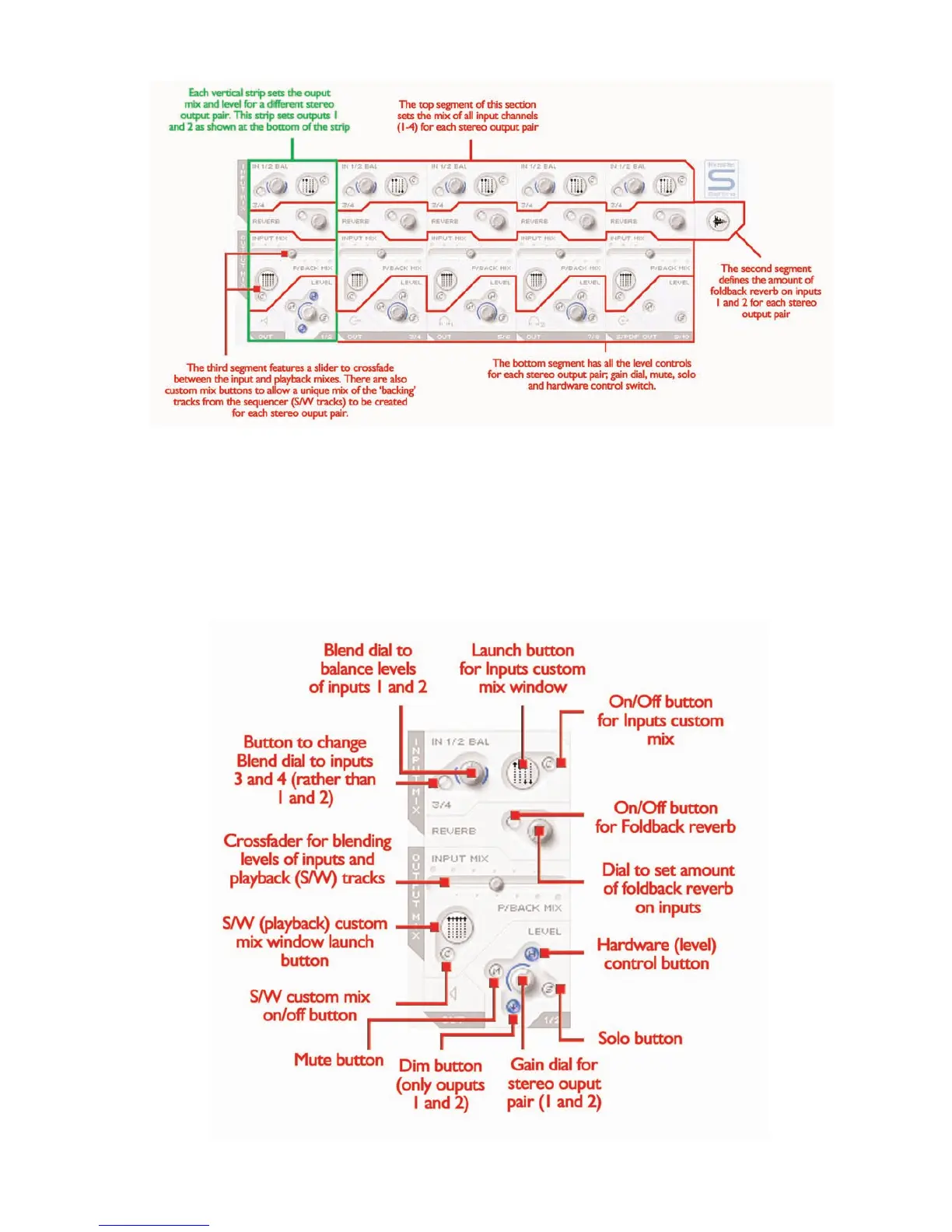
The lower half of the Main Application window is the area where the
signal sent to each set of stereo outputs (monitors, headphones,
SPDIF Out etc) can be mixed and processed, meaning the exact levels
of each input channel and each of the ten playback tracks from the
sequencer can be set and reverb applied. Each stereo output has its
own section, with the stereo pairs positioned in ascending order from
left to right.The stereo output sections are all identical except for the
last one, 9/10, which is the SPDIF output and so contains no level
control as the digital output level is fixed. This section of the Main
Application window will change when the stereo link button in the
Input Stage section is active (see STEREO LINK BUTTON
CONTROLS section on page 16).
Processing/mixing of stereo outputs








 To Next Page