16
Low Latency Monitoring
You will frequently hear the term “latency” used in connection with digital audio systems. In the case
of the simple DAW recording application described above, latency will be the time it takes for your
input signals to pass through your computer and audio software, and back out again via your audio
interface. Latency can be a problem for a performer who wishes to record while monitoring their
input signals.
The Scarlett 6i6, in conjunction with Scarlett MixControl, allows “low latency monitoring”, which
overcomes this problem. You can route your input signals directly to the Scarlett 6i6’s headphone and
line outputs. This enables the musicians to hear themselves with ultra-low latency – i.e., effectively
in “real time” – along with the computer playback. The input signals to the computer are not affected
in any way by this setting.
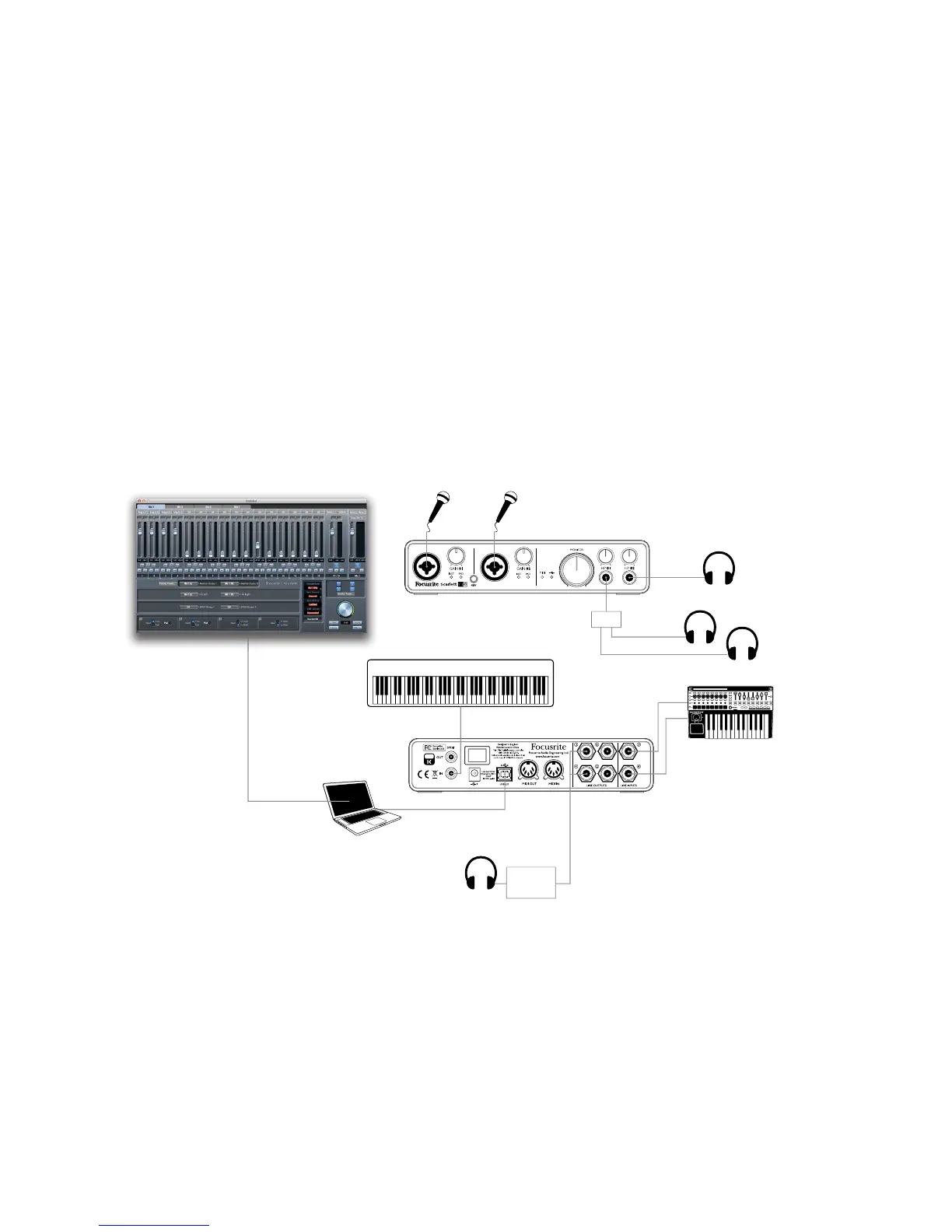
In the example, each of the band members is receiving his/her own monitor mix, because they each
have their “own” Scarlett 6i6 headphone output. Scarlett MixControl lets you define up to eight
separate mono mixes (or four stereo), and these mixes may include previously recorded DAW tracks
as well the current input signals.
Stereo Keyboard
Direct Monitoring
set up in
Mix Control Software
Headphones
(Vocals)
Headphones (Workstation)
Workstation
25SL MkII
Line to
Headphone
Converter
Headphones
(Stereo Keyboard)
When using Direct Monitoring, ensure that your DAW software is not set to route any inputs (what you
are currently recording) to any outputs. If it is, the musicians will hear themselves “twice”, with one
signal audibly delayed as an echo.




 To Next Page