8
GETTING STARTED
IMPORTANT: PLEASE ENSURE THAT YOU INSTALL SCARLETT MIXCONTROL
BEFORE CONNECTING THE INTERFACE TO YOUR COMPUTER.
Software Installation
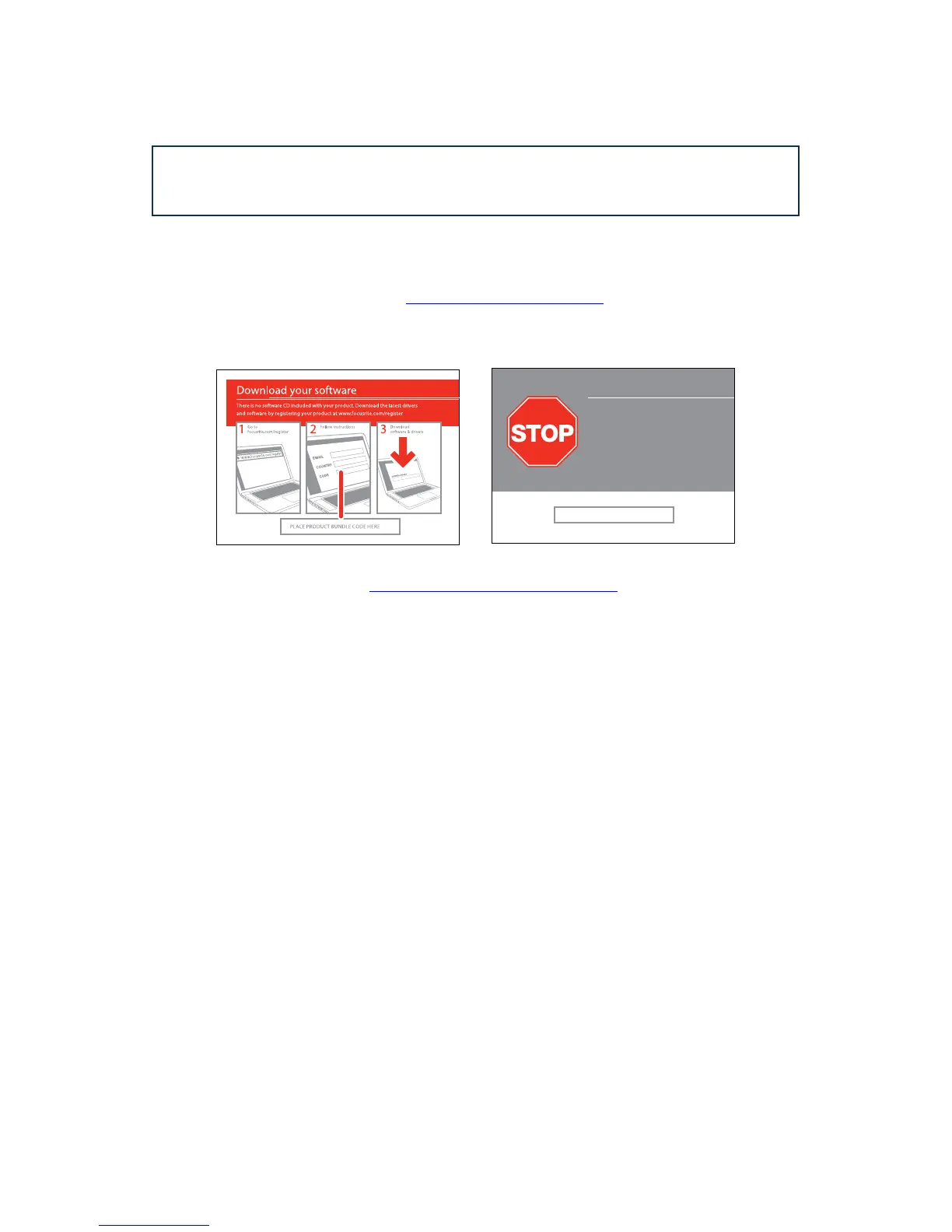
All software required by the Scarlett 6i6 - and several powerful and useful extras - are available for
download from the Focusrite website (www.focusrite.com/register). The Software Activation card
provided with your Scarlett 6i6 contains validation codes which you will need to enter at the above
web address. This procedure ensures that you will have the most up-to-date software versions.
Can’t get started?
If you have any trouble with this product
do not go back to the place of purchase.
Contact our support team on:
US:
UK &
International:
Online:
PLACE SERIAL NUMBER STICKER HERE
1-855-24-FOCUS (1-855-243-6287)
Support available Monday - Friday 8am – 6pm (PST)
+44 1494 462246
Support available Monday - Friday 9:30am – 6pm (GMT/BST)
www.focusrite.com/support
www.novationmusic.com/support
FA0736-01
1. Using your usual browser, go to http://www.focusrite.com/register/.
2. Follow the on-screen instructions, entering the “Product Bundle Code” into the form where
prompted. Your “Product Bundle Code” can be found on the Software Download Card packed with
the unit.
3. You will then be able to access the “My Products” page, where the software products to which your
registration entitles you are available for download, complete with activation codes where applicable.
4. Download and install Scarlett MixControl. Follow all on-screen instructions.
5. When the installation is complete, restart your computer.
6. After restart, connect the Scarlett 6i6 to your computer with the USB cable supplied.
7. Power your Scarlett 6i6 using the supplied mains adaptor.














 To Next Page