444 9160 / 444 9180 / 442 9020
E 219 GB - Issue 1
32
8. Handling and Conduct during Operation
Description of operating elements:
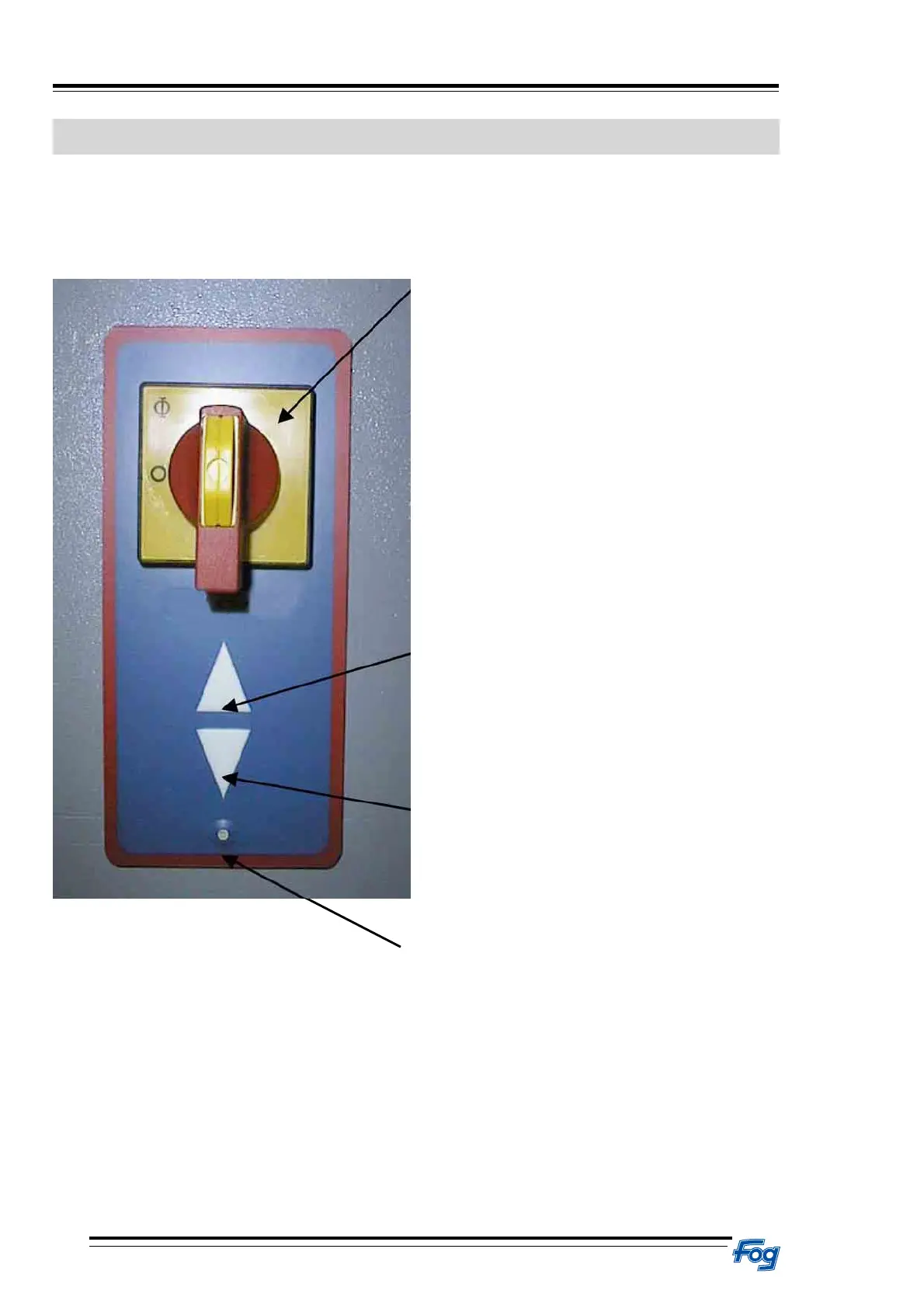
Main switch with membrane keypad
Main switch
The main switch must be switched on before
initiating the operation of the lift.
The picture shows the main switch in position“ON”.
Protected switch panel “raise”
As long as the key is pressed, the lift will travel
upwards.
Protected switch panel “lower”
As long as the key is pressed, the lift will travel
down.
Control LED
As long as the LED is green, the lift is ready.
If the LED is red, the customer service needs to be
informed.
If LED is orange, the lift is in stand-by mode.



 To Next Page