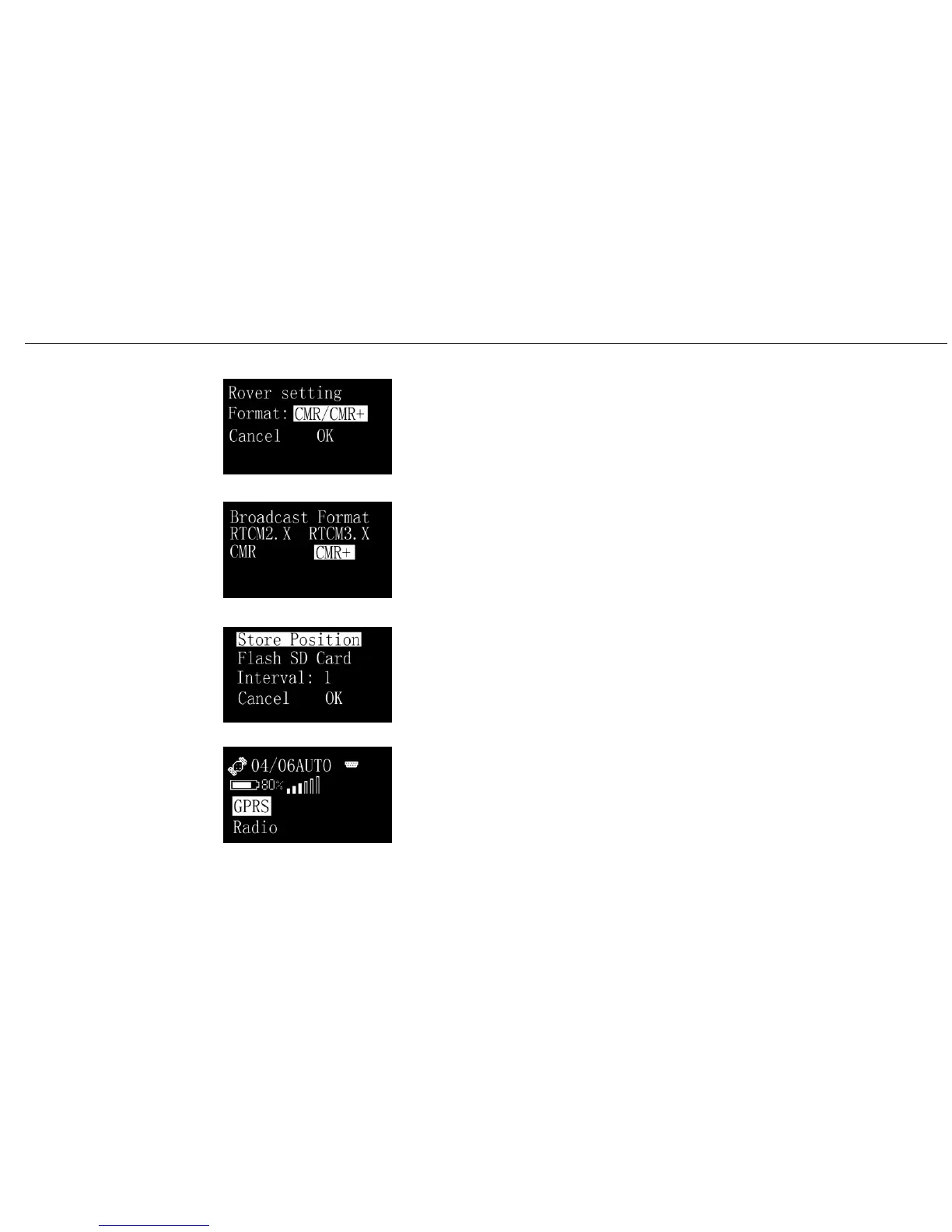
Choose Rover for your rover setting.
At the rover setting menu, you can select the format e.g. CMR etc.
If you choose Static, then 2 options for your setting such as Store
position and Interval. Two ways are available for your menory,
NAND flash and SD card.
If you choose link, then you would have two ways for your data
transferring.(GPRS and Radio)
A20 User Manual
Operating
Menu (5)
Set/GPS/Rover
Set/GPS/Rover/Format
Set/GPS/Static
Set/Link
30


 To Next Page