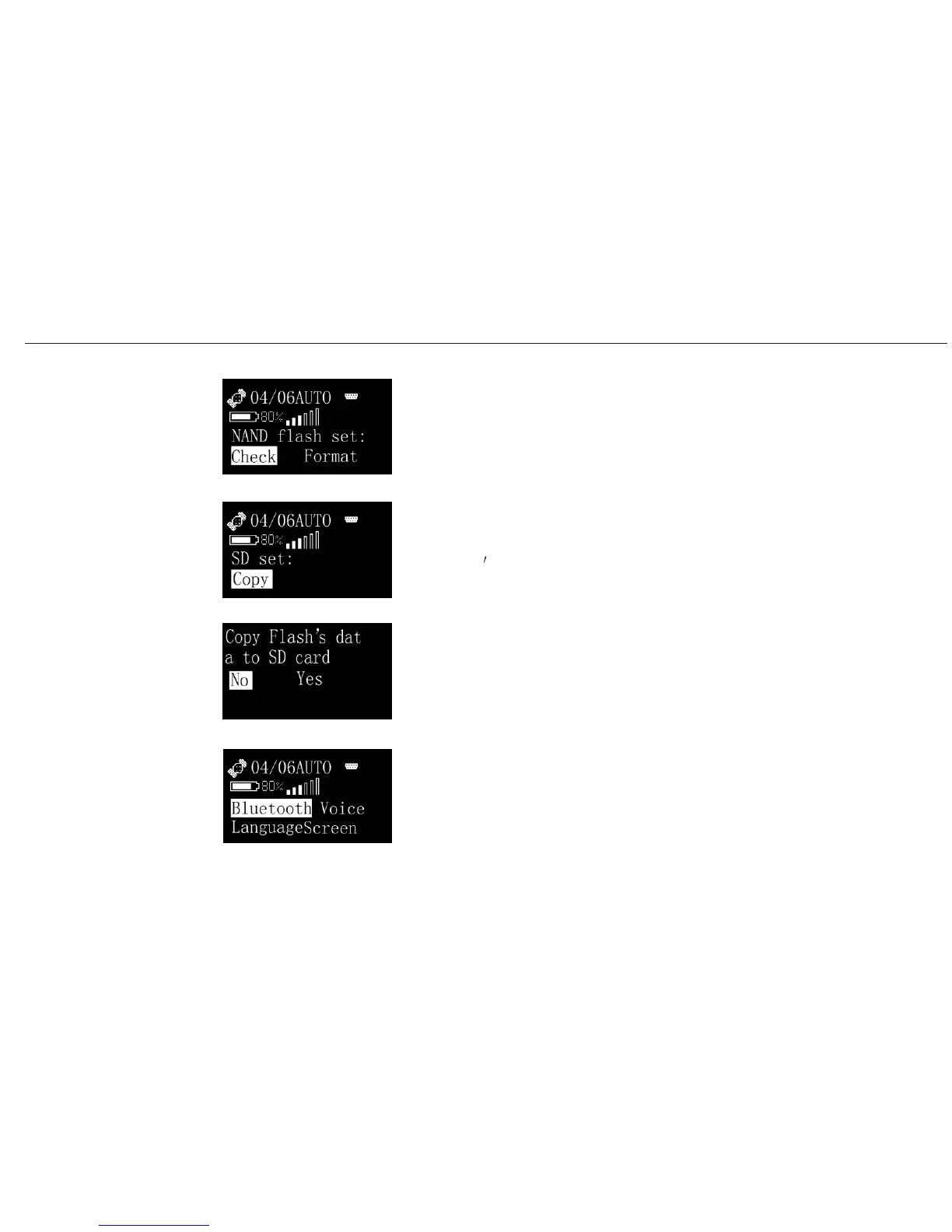
You can Check or Format NAND Flash.
If you choose SD card as memory, then you would be mentioned to
copy Flash
s data to SD card.
This is the copying procedure.
In the System menu, you have 4 options to set.
Bluetooth, Voice, Language and Screen.
A20 User Manual
Operating
Menu (7)
Set/Memory/Flash
Set/Memory/SD card
Set/Memory/SD card/Copy
Set/System
32


 To Next Page