27
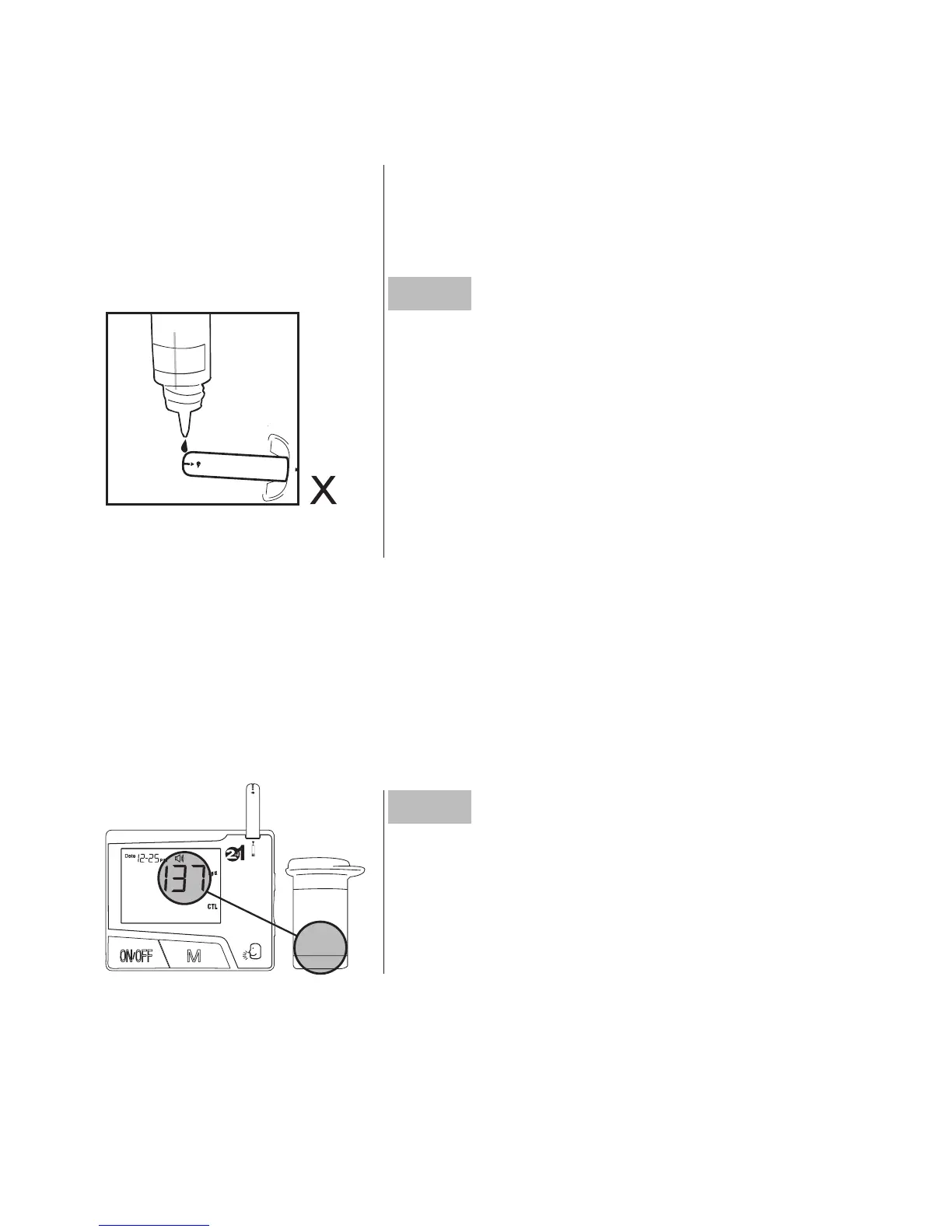
get another drop and place the drop on
the top of the cap.
Step5
Apply control solution. While holding
the monitor, move the absorbent hole of
the test strip to touch the drop of control
solution. Then the drop will be automati-
cally drawn into the test strip. Make sure
the conrmation window lls completely.
The meter begins counting down.
Step6
Read and compare the result. Compare
the result with the range printed on the
test strip vial. The result will fall within this
range.
To avoid contaminating the control solution with the content of the
test strip, you have to place a drop of control solution on a clean
surface. Then touch the test strip to the drop.
109~165
Normal



 To Next Page