FORCE1 RC
10
BATTERY REMOVAL
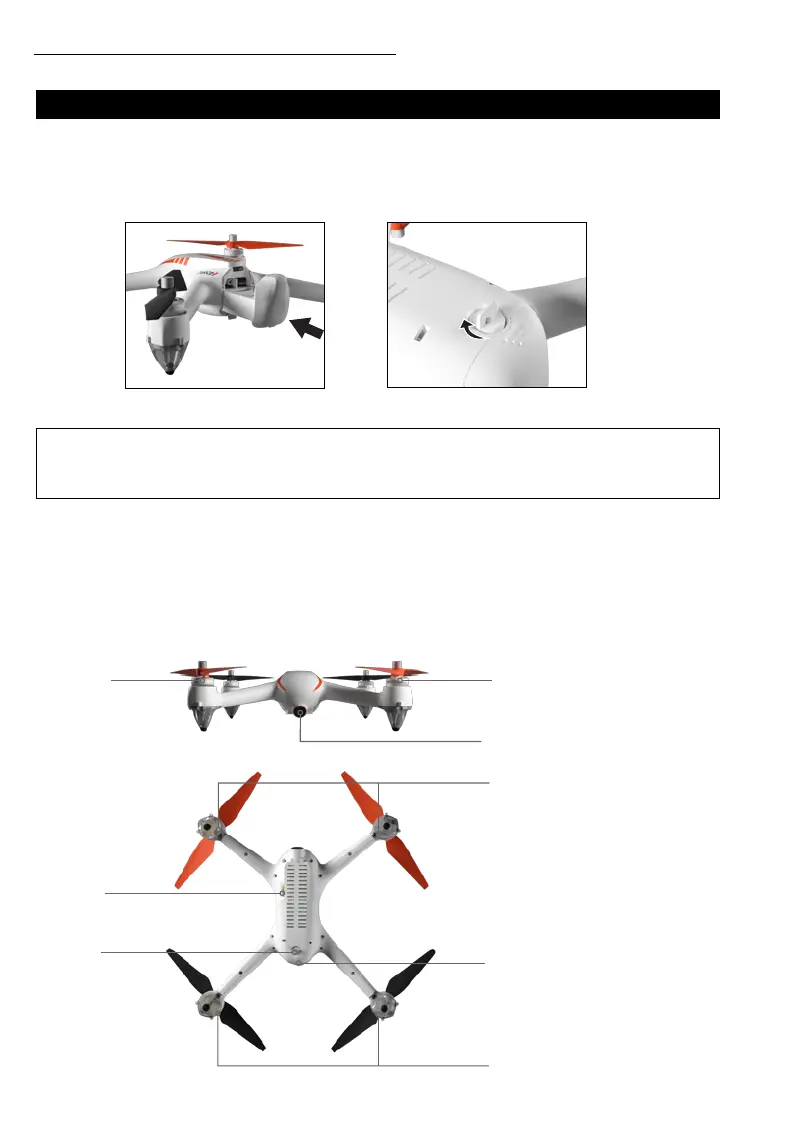
Turn the lock button counterclockwise 90° to the “unlock position.” Use your thumb to press down
the tab and remove the battery. NOTE: Battery removal is the ONLY WAY to power off the drone.
DRONE ASSEMBLY
BATTERY INSTALLATION
Insert the battery into the battery compartment until you hear a click. Turn the lock button on the
bottom 90° to the “lock position.”
DRONE OVERVIEW
SLIDE BATTERY IN COMPARTMENT LOCK COMPARTMENT
[1] BRUSHLESS MOTOR
[2] PROPELLER
[3] CAMERA
[4] TF CARD SLOT
[5] LOCK/UNLOCK
[6] FRONT INDICATOR LIGHT
[7] BATTERY
[8] REAR INDICATOR LIGHT
[1]
[2]
[6]
[7]
[8]
[4]
[5]
[3]
Install the battery rmly; failure to do so may affect ight safety.
CAUTION:



 To Next Page