FORCE1
10
PREFLIGHT CHECKLIST
1. Fly in an open area and abide by all local and federal guidelines. Check the FAA’s B4UFLY mobile app
for up-to-date drone flight info.
2. Make sure your drone and transmitter batteries are fully charged.
3. Put the left stick of the transmitter in the middle position.
4. Always turn ON your transmitter first before flying, and turn OFF the drone first when you’re finished.
5. Make sure the connection is solid between your battery and motor; vibration may cause loosening.
6. Make sure the propellers are installed correctly and the motors are working normally after unlocking.
PREFLIGHT OPERATION
PAIRING WITH DRONE
1. Insert the drone battery.
2. Turn on the drone and place it on a flat surface; drone lights will flash quickly.
3. Make sure the left stick is in the center position.
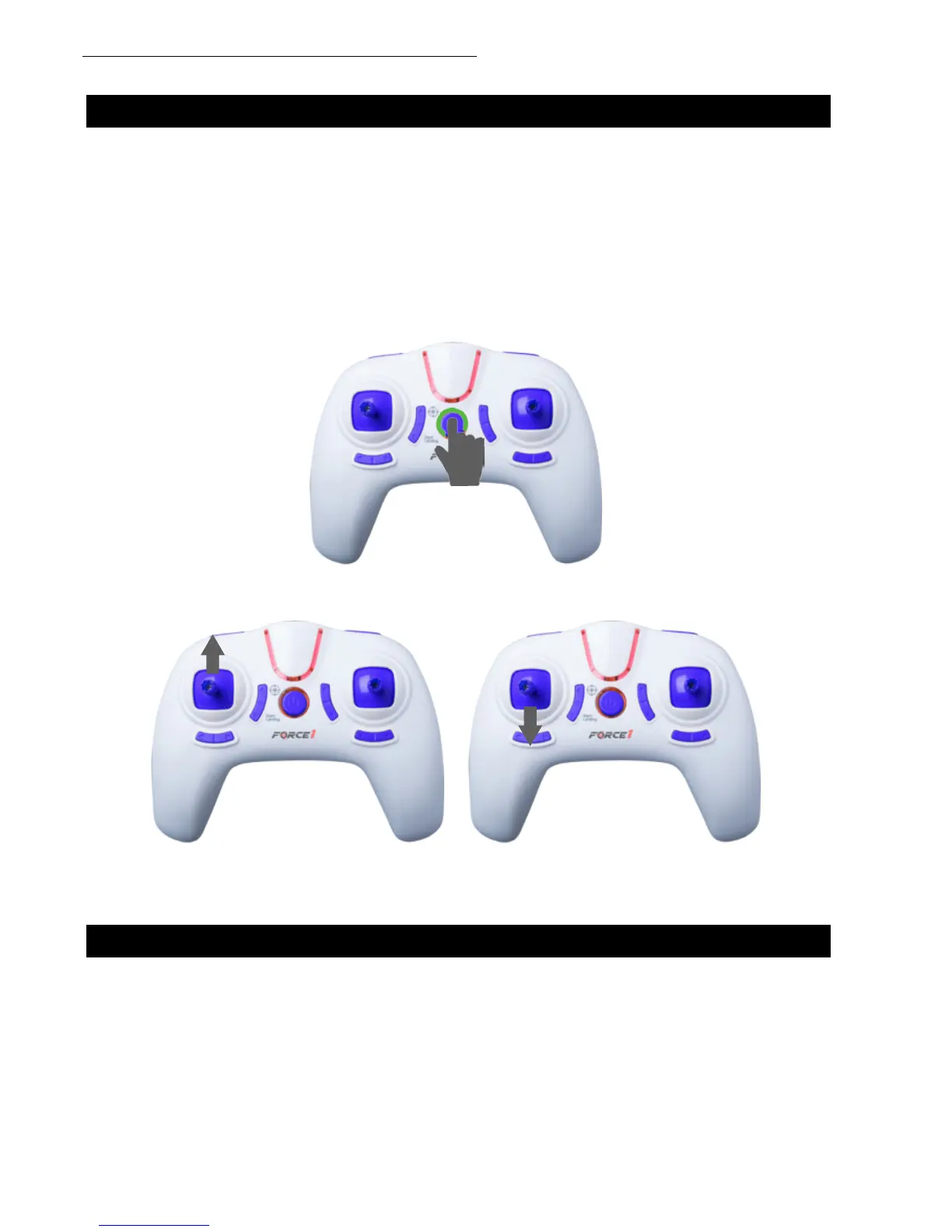
4. Turn on the transmitter; it will beep twice (Fig. 6).
5. Push the left stick all the way up then all the way down. The transmitter will beep again (Fig. 7).
6. The drone lights will switch from ashing to solid indicating that the drone and transmitter are
successfully paired.
FIGURE 7
FIGURE 6



 To Next Page